%5 R.M-ng chart on Page. M.
When cooking a food for th~first
time in your new oven, use time
gi’,JIl Onrecipesas a guide. @en
thermostats, over a period of years,
may “drift” from the factory setting
and differencesin timing between
an old and a new oven of 5 to 10
minutes are not unusual and you
may be inclinedto think that the
new.oven is not performing cor-
rectly. However, your new oven has
been set correctly at the factory and
is more apt to be accurate than the
ol~enit replaced.
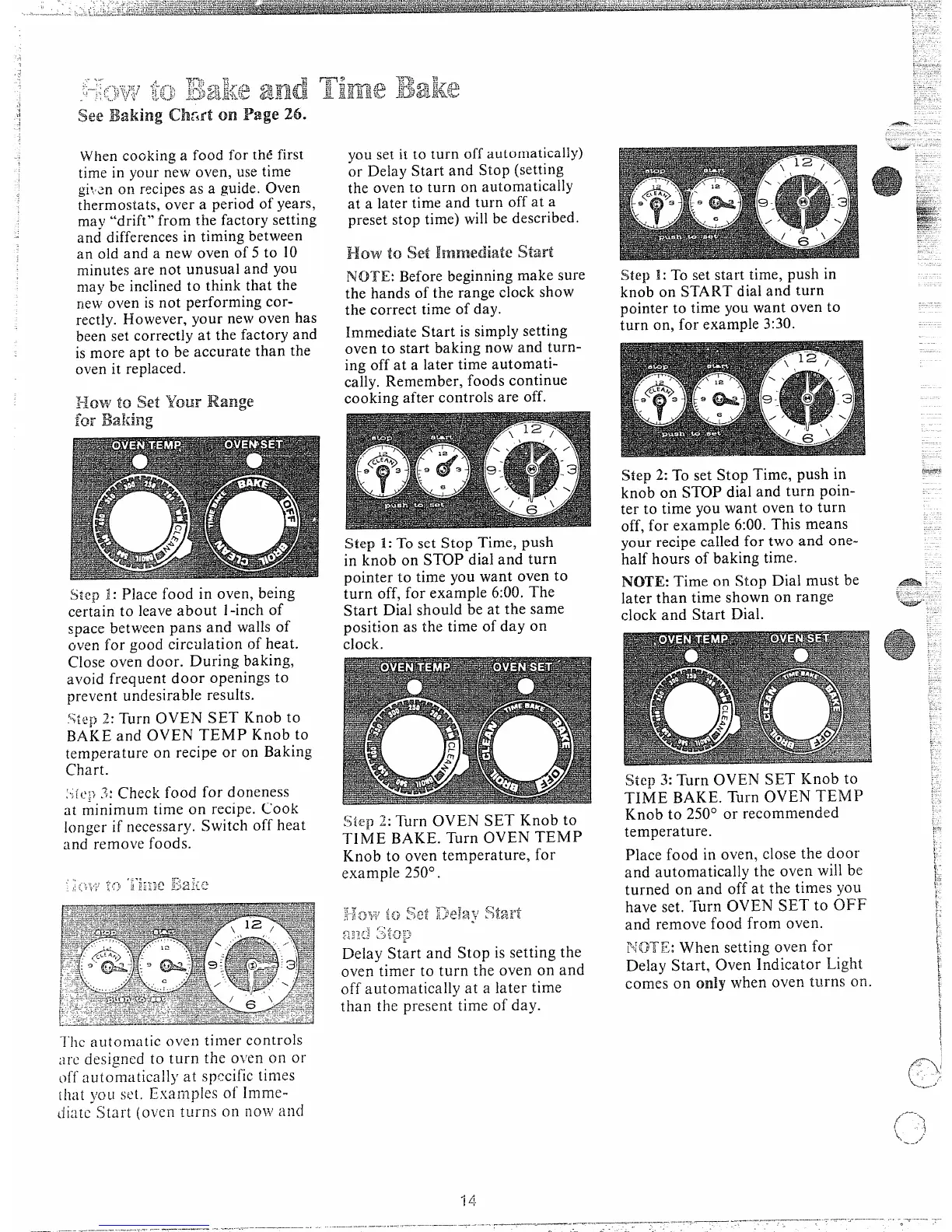
Siep 1:Place food in oven, being
certain to leaveabout 1-inchof
space between pans and walls of
oven fol.good circulation of heat.
Close oven door. During baking,
avoid frequent door openings to
prevent undesirable results.
%tep2: Turn OVEN SET Knob to
BAKE and OVEN TEMP Knob to
temperature on recipe or on Baking
Chart.
‘-(e;)3: Check food for doneness.,
at minimum time on recipe. Cook
longer if necessary. Switch off heat
and remove foods.
I’he automatic oven timer controls
:irc designcd to turn the o~’enon or
off automiitica]l}’at specific times
ihat you sc[. Examples of Imme-
diate Start (oven turns On
ilOW and
you set it to turn off automatically)
or Delay Start and Stop (setting
the oven to turn on automatically
at a later time and turn off at a
preset stop time) willbe described.
How to set start
NOTE: Beforebeginningmake sure
the hands of the range clock show
the correct time of day.
immediate Start issimplysetting
oven to start baking now and turn-
ing off at a later time automati-
cally. Remember, foods continue
cooking after controls are off.
Step 1:To set Stop Time, push
in knob on STOP dial and turn
pointer to time you want oven to
turn off, for example 6:00. The
Start Dial should be at the same
position as the time of day on
clock.
Siep 2:Turn OVEN SET Knob to
TIME BAKE. Turn OVEN TEMP
Knob to oven temperature, for
example 250°.
..._
.; s&~/.m,{.
~:<,+:;;+pg:~:7
j:-;:~j~,,-i;<;~jc<i
L)?.<+lz
.
~~4,-3L..
~.>~.:
~,~:.I=J~j~,~~..:
.
Delay Start and Stop is setting the
oven timer to turn the oven on and
off automatically at a later time
than the present time of day.
!5tep1:To set start time, push in
knob on START dial and turn
pointer to time you want oven to
turn on, for example 3:30.
Step 2: To set Stop Time, push in
knob on STOP dial and turn poin-
ter to time you want oven to turn
off, for example 6:00.This means
your recipe called for two and one-
half hours of baking time.
NOTE: Time on Stop Dial must be
later than time shown on range
clock and Start Dial.
Step 3:Turn OVEN SET Knob to
TIME BAKE. Turn OVEN TEMP
Knob to 250° or recommended
temperature.
Place food in oven, close the door
and automatically the oven will be
turned on and off at the times you
have set. Turn OVEN SET to OFF
and remove food from oven.
HGTX:When setting oven for
Delay Start, Oven Indicator Light
comes on only when oven turns on.



 To Next Page