Hybrid/AC-coupled Inverter User Manual
© 2024 Hoymiles Power Electronics Inc. All rights reserved.
32
Procedure (for HAT series inverters)
Step 1
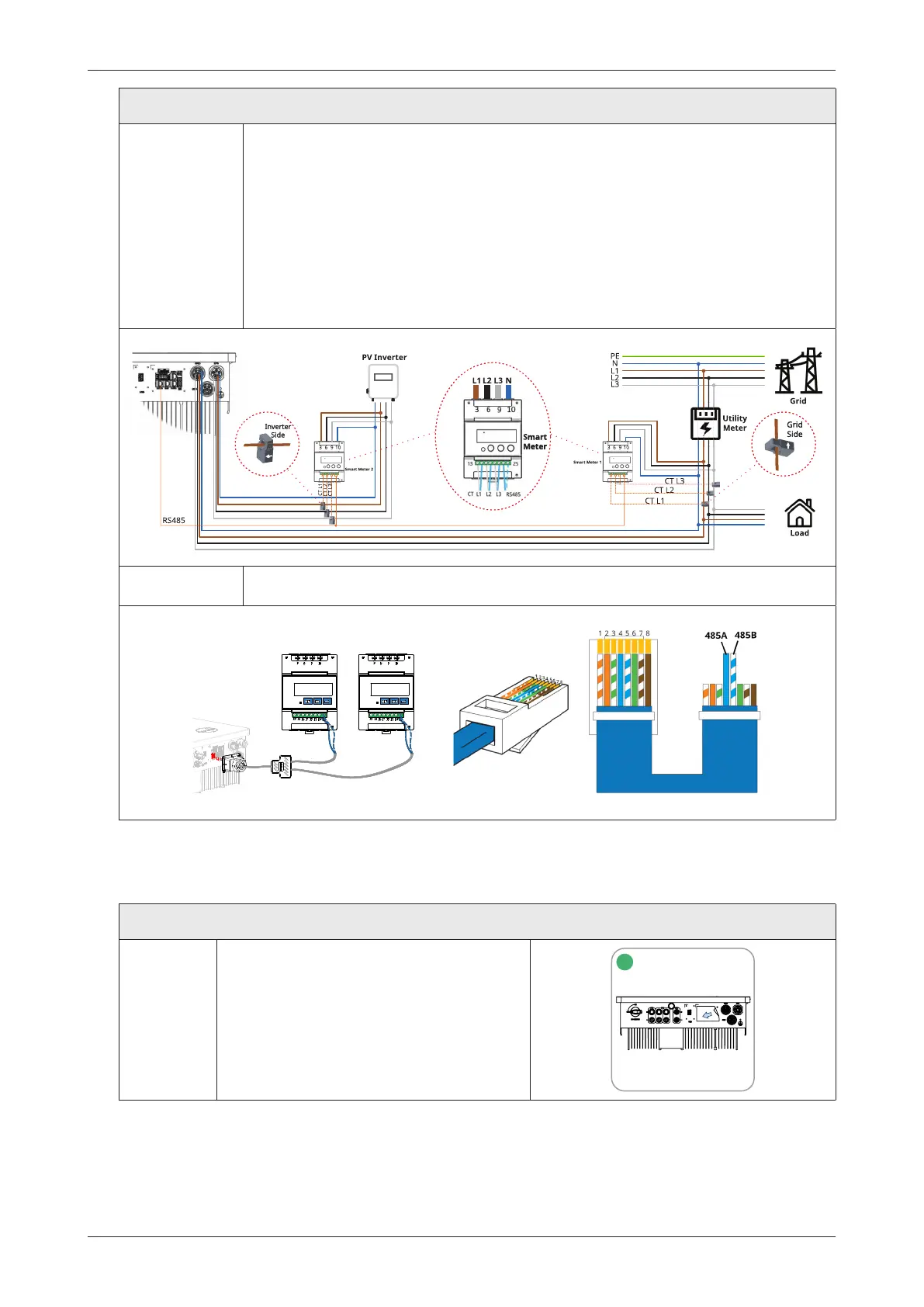
• Place the smart meter 1 and 2 in or near the grid distribution box, right after the
utility meter.
• Smart meter 1 is connected to the grid side, and the arrow on the surface of CT
should point to the grid.
• If the PV inverter is connected to the EPS port, GEN port, or GRID port, smart meter
2 should be connected to the corresponding EPS side, GEN side, or GRID side, and
the arrow on the surface of CT should point to the opposite direction of PV inverter.
(The diagram below takes the EPS port as an example.) The connection method is
the same as that described above.
Step 2 • Connect the communication cable between the inverter and the smart meter.
485A
485B
485A
485B
3.4.5.3 DRM Connection
DRM is designed to support several demand response modes by certain control signals, which is used for
Australia and New Zealand. Detailed connection of DRM is shown below.
Procedure
Step 1
• Peel the stickers off from the
communication port.
1



 To Next Page