26
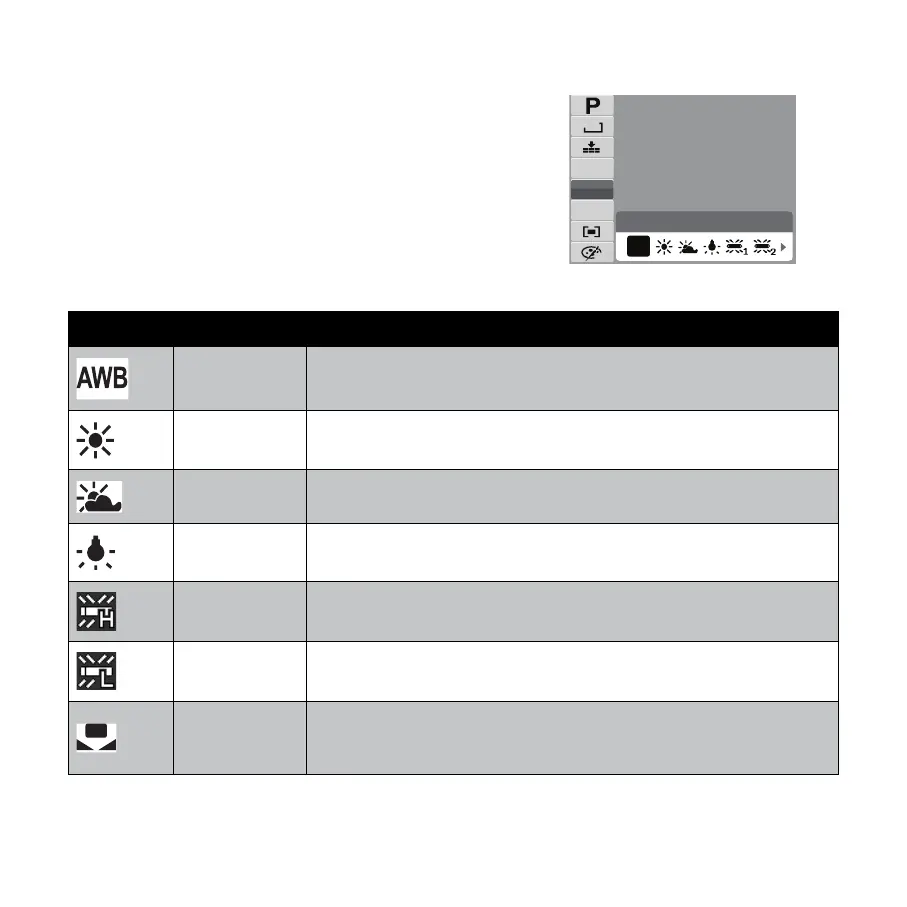
White Balance
The White Balance setting allows you to adjust the
image color temperature according to the ambient
light condition when recording the still images and
video.
Auto
N
8 M
AWB
ISO
AUTO
AWB
0 EV
Icon Item Description
Auto The camera automatically adjusts the white balance.
Sun Ideally used for bright sunny conditions.
Cloudy Ideally used for cloudy conditions.
Tungsten
Ideally used for indoor photos with tungsten or halogen lighting without
a fl ash.
Fluorescent H Ideally used for indoor photos with blue-tinted fl uorescent lighting.
Fluorescent L Ideally used for indoor photos with red-tinted fl uorescent lighting.
Manual
Used when light source cannot be specifi ed. Press the shutter button for
the camera to be pointed at a white object and adjust the appropriate
white balance setting automatically according to the environment.









 To Next Page