62
Crop
The function allows you to trim an image to another
image size. This function is only available for still
images.
To trim an image:
Set the camera to Playback mode.1.
Use the 2.
or key to scroll and select an
image to trim.
Press the 3. MENU button to launch the Playback
menu.
Crop
Resize
Startup Image
DPOF
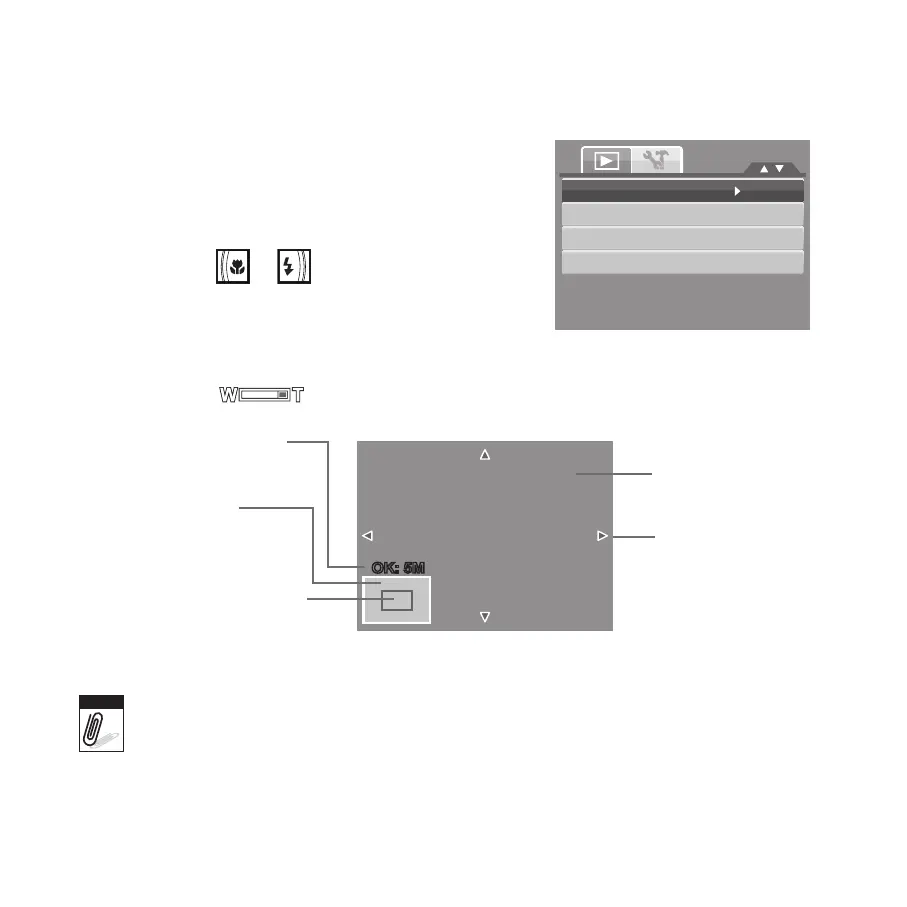
Select Crop. The Trim screen layout is displayed on the LCD monitor.4.
Use the 5. control to change size.
Current image size.
Enlarged image.
4-way indicator.
Display area.
Shows the approximate
location of the displayed
area.
Crop function is not available for photos with image size set to VGA.•
All images will be trimmed in 4:3 ratio regardless of its original image ratio.•









 To Next Page