EasyManua.ls Logo

HP CA350 - Setting Instant Review; Recording Videos

HP CA350
81 pages
Print Icon
To Next Page IconTo Next Page
To Previous Page IconTo Previous Page
Loading...
45
Saturation
Contrast
Digital Zoom
Date & Time Imprint
Instant Review
OFF
OFF
Date
Date & Time
Off
OFF
Saturation
Contrast
Digital Zoom
Date & Time Imprint
Instant Review
OFF
OFF
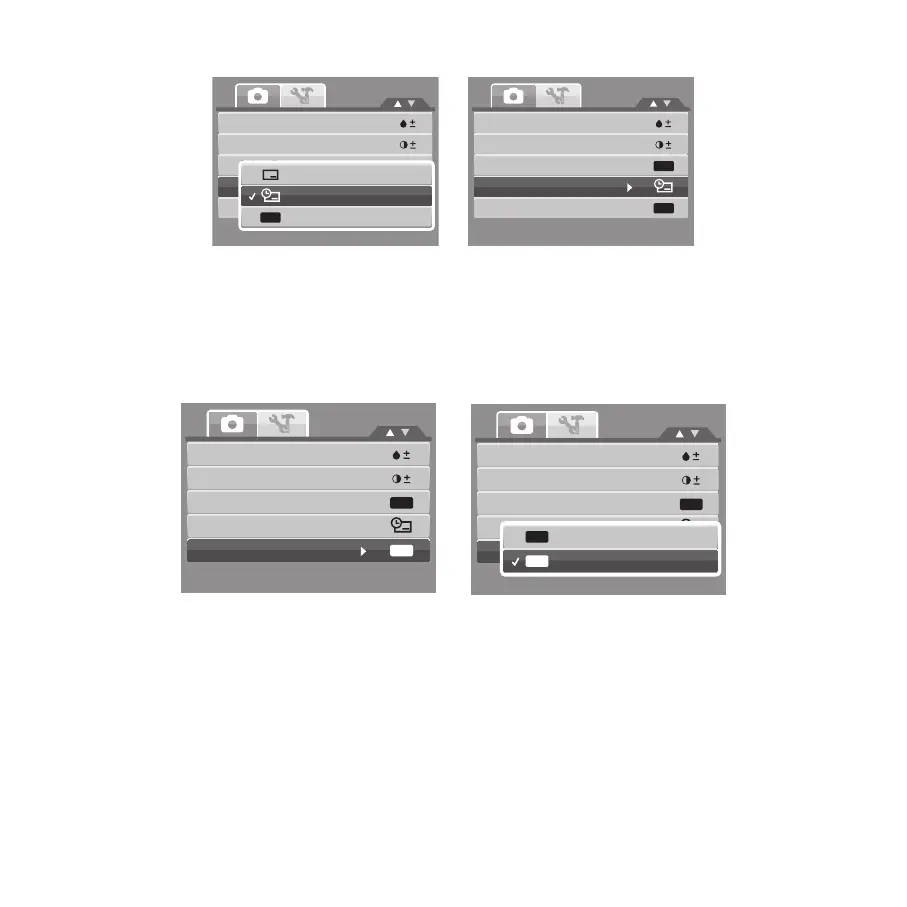
Setting Instant Review
The Instant Review function lets you view the captured image right after shooting it. If
Instant Review is On, the camera will display the captured image for 1 second on the LCD
monitor.
Saturation
Contrast
Digital Zoom
Date & Time Imprint
Instant Review
OFF
OFF
Saturation
Contrast
Digital Zoom
Date & Time Imprint
Instant Review
OFF
OFF
On
Off
OFF
ON
Recording Videos
You can record videos with the camera, the available recording time depends on the capacity
of the memory card. Videos can be recorded until the maximum memory capacity has been
reached.

Table of Contents

Related product manuals