5–10 Maintenance and Service Guide
Removal and Replacement Procedures
5.6 Memory Module
1. Prepare the computer for disassembly (refer to Section 5.3).
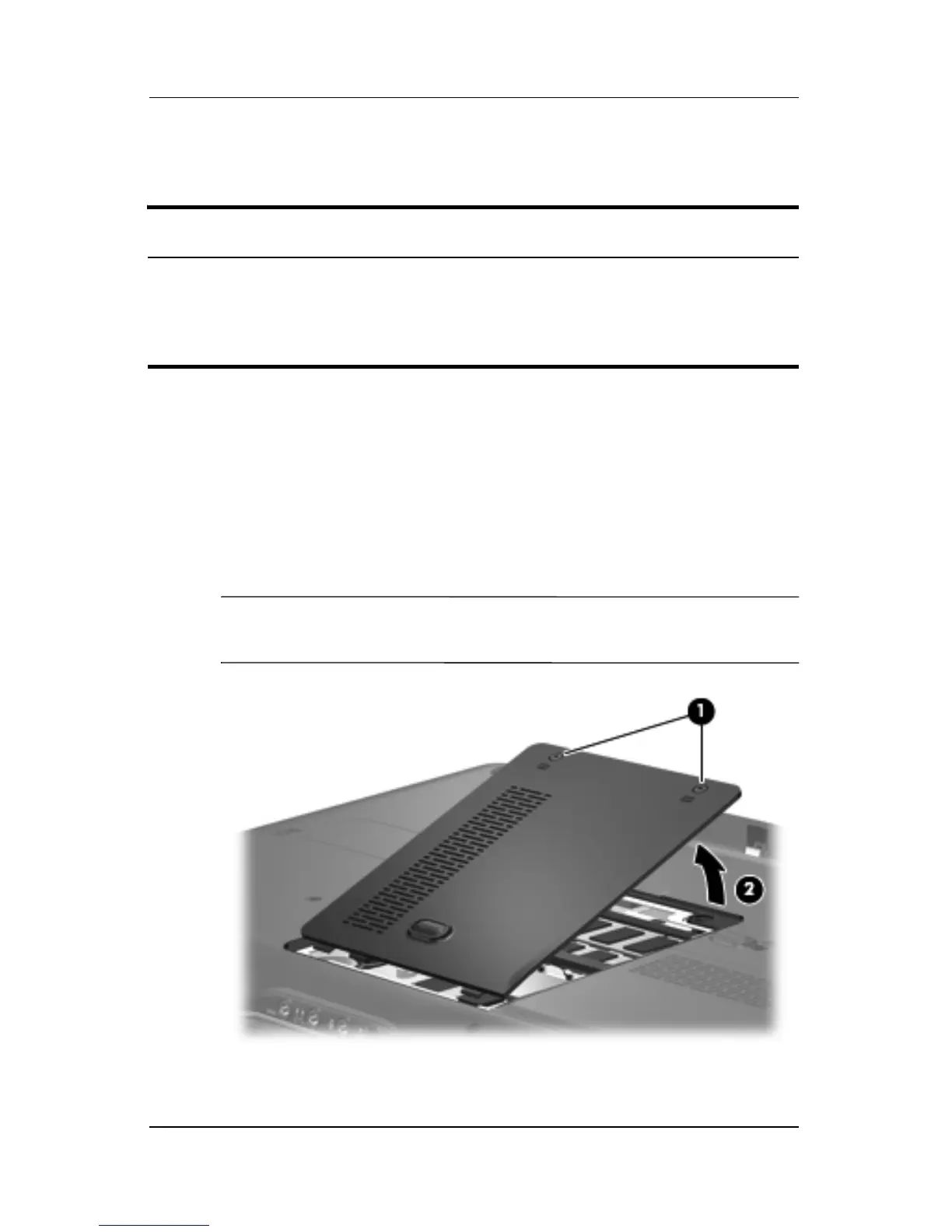
2. Loosen the two Phillips PM2.0×5.0 screws 1 that secure the
memory module compartment cover to the computer.
3. Lift the left side of the memory module compartment
cover 2, and then swing it to the right.
4. Remove the memory module compartment cover.
✎
The memory module compartment cover is included in the
Plastics Kit, spare part number 431428-001.
Removing the Memory Module Compartment Cover
Memory Module Spare Part Number Information
PC2-5300, 667-MHz
1024-MB
512-MB
256-MB
431403-001
431402-001
431401-001











 To Next Page