5–16 Maintenance and Service Guide
Removal and Replacement Procedures
5.9 Optical Drive
1. Prepare the computer for disassembly (Section 5.3).
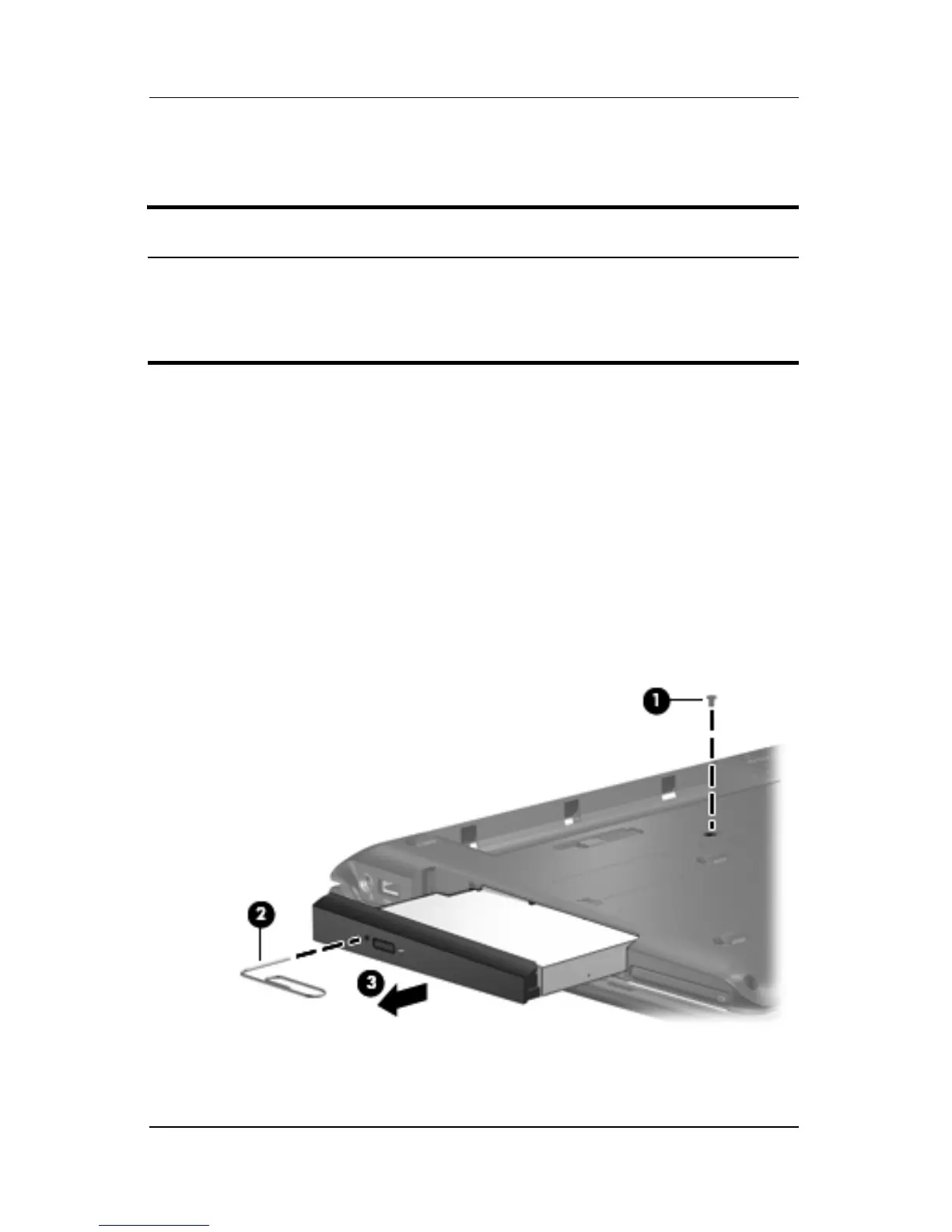
2. Remove the Phillips PM2.5×7.0 screw 1 that secures the
optical drive to the computer.
3. Insert a thin tool, such as a paper clip 2, into the media tray
release hole. (The optical drive media tray releases from the
optical drive.)
4. Use the media tray frame to slide the optical drive 3 out of
the computer.
5. Remove the optical drive.
Removing the Optical Drive
Optical Drive Spare Part Number Information
DVD±RW/R and CD-RW Double-Layer Combo Drive with
LightScribe
DVD±RW/R and CD-RW Double-Layer Combo Drive
DVD/CD-RW Combo Drive
431410-001
431409-001
431408-001











 To Next Page