5–24 Maintenance and Service Guide
Removal and Replacement Procedures
5.13 Power Button Board
1. Prepare the computer for disassembly (Section 5.3).
2. Remove the switch cover (Section 5.10).
3. Remove the keyboard (Section 5.11).
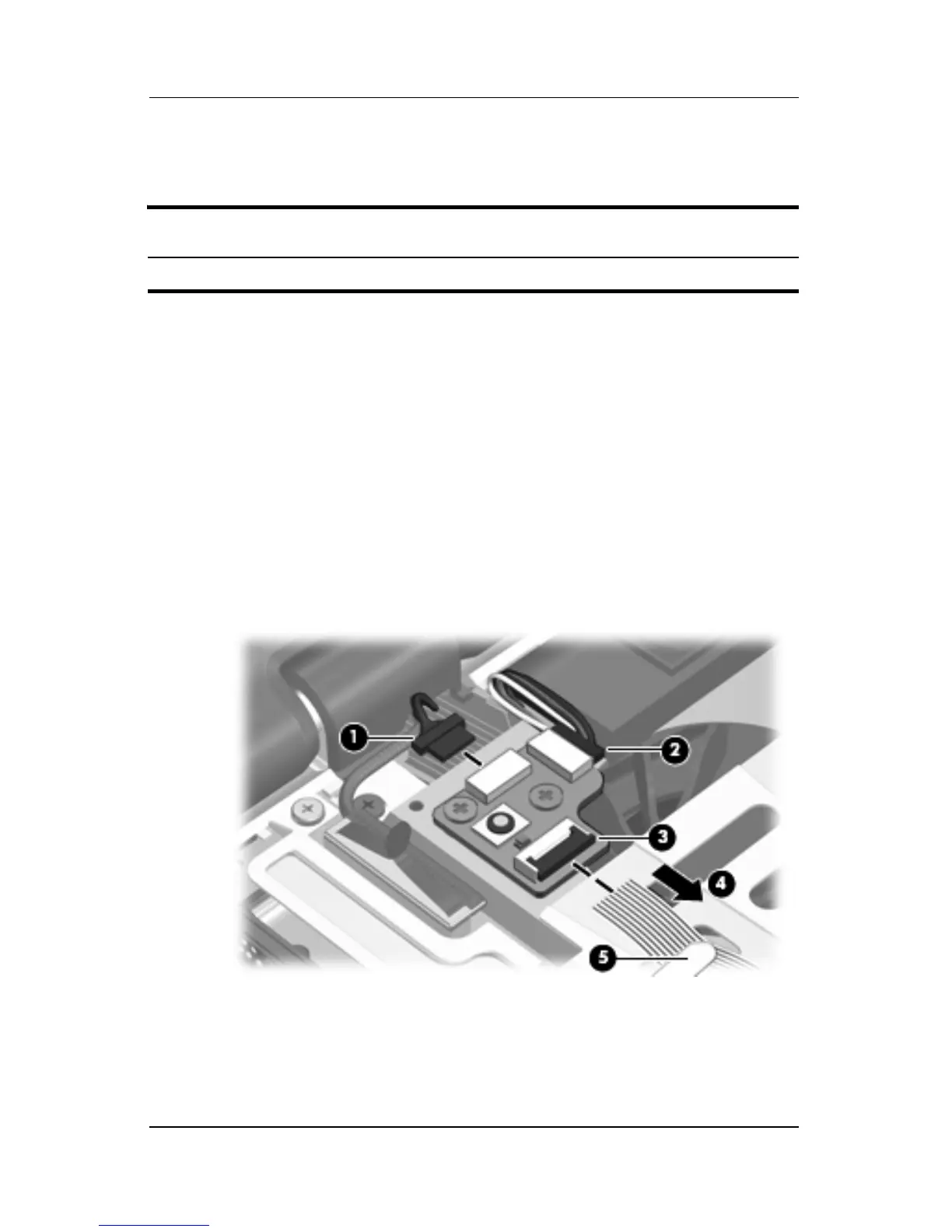
4. Disconnect the microphone cable 1 and the speaker
assembly cable 2 from the power button board.
5. Release the ZIF connector 3 to which the power button board
is connected and disconnect the cable 4.
6. Remove the power button board cable from the clip 5 in the
top cover.
Disconnecting the Power Button Board Cables
Power Button Board Spare Part Number Information
Power button board (includes power button board cable) 431437-001











 To Next Page