Removal and Replacement Procedures
Maintenance and Service Guide 5–23
5.12 Speaker Assembly
1. Prepare the computer for disassembly (Section 5.3).
2. Remove the switch cover (Section 5.10).
3. Remove the keyboard (Section 5.11).
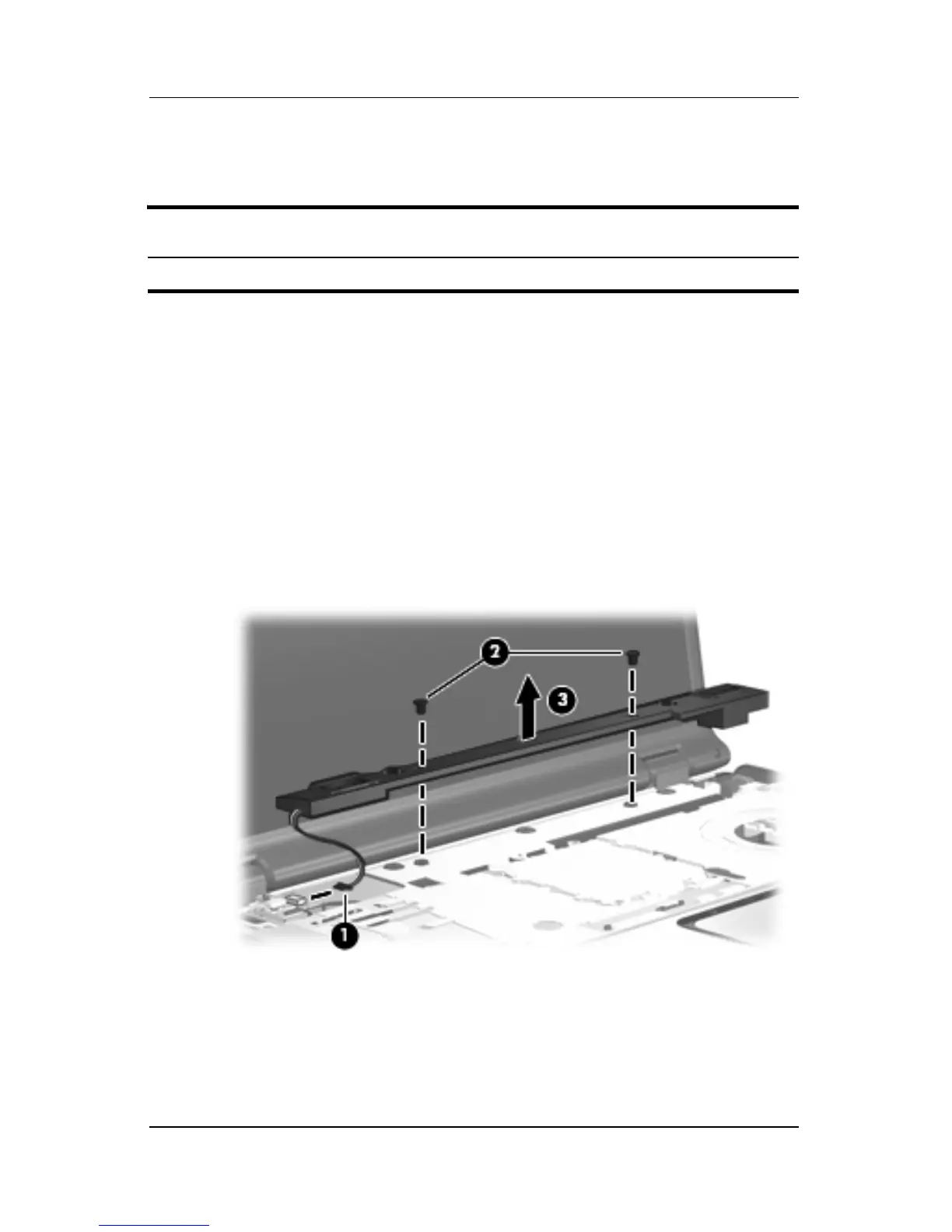
4. Disconnect the speaker assembly cable 1 from the power
button board.
5. Remove the two Phillips PM2.5×4.0 screws 2 that secure the
speaker assembly to the computer.
6. Remove the speaker assembly 3.
Removing the Speaker Assembly
Reverse the above procedure to install the speaker assembly.
Speaker Assembly Spare Part Number Information
Speaker assembly 431447-001











 To Next Page