Product Description
Maintenance and Service Guide 1–17
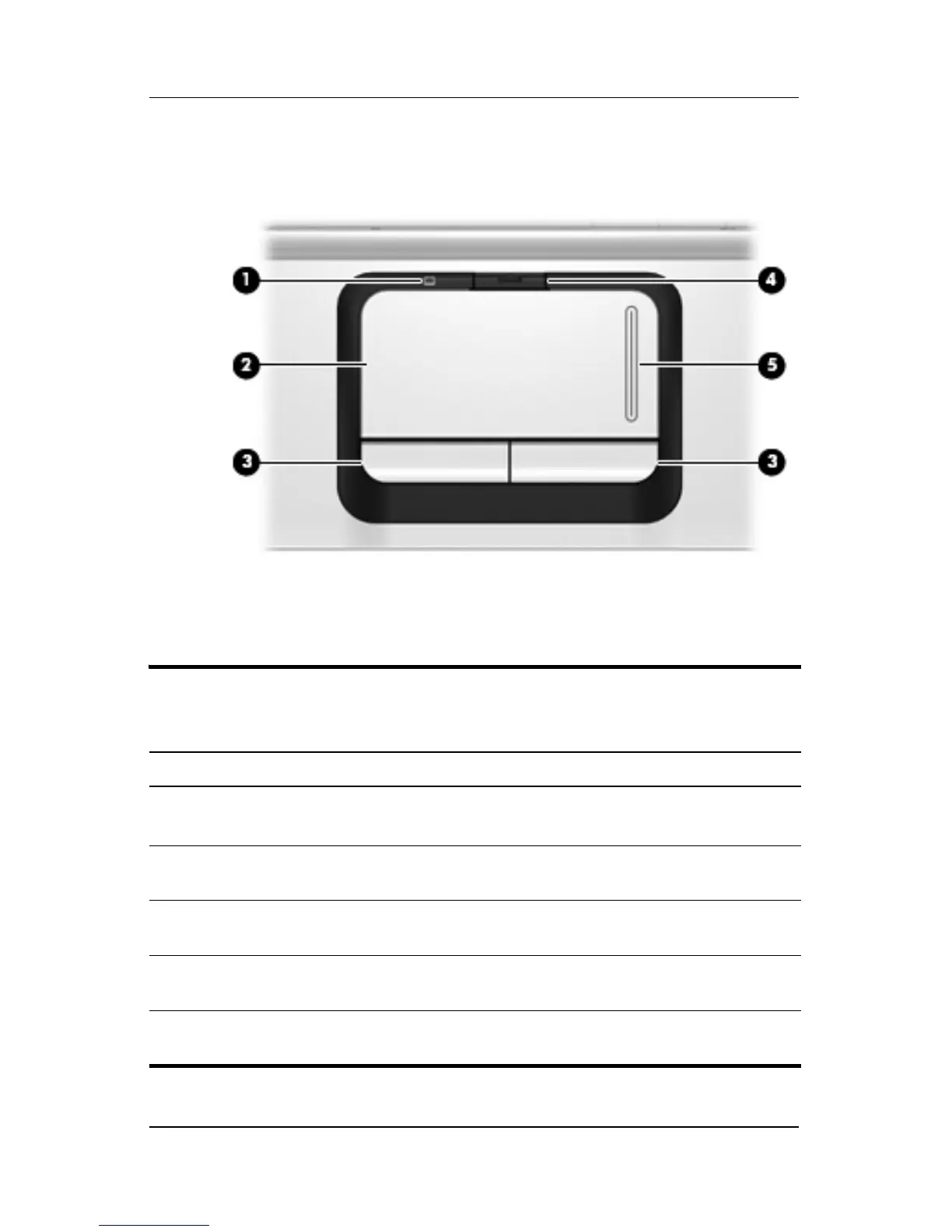
The computer TouchPad components are shown below and
described in Table 1-7.
TouchPad Components
Table 1-7
Touchpad Components
Item Component Function
1 TouchPad light Blue: TouchPad is enabled.
Amber: TouchPad is disabled.
2 TouchPad Moves the pointer and selects or activates
items on the screen.
3 Left and right
TouchPad buttons
Function like the left and right buttons on an
external mouse.
4 TouchPad on/off
button
Enables/disables the TouchPad.
5 TouchPad vertical
scroll zone
Scrolls up or down.











 To Next Page