Removal and Replacement Procedures
Maintenance and Service Guide 5–31
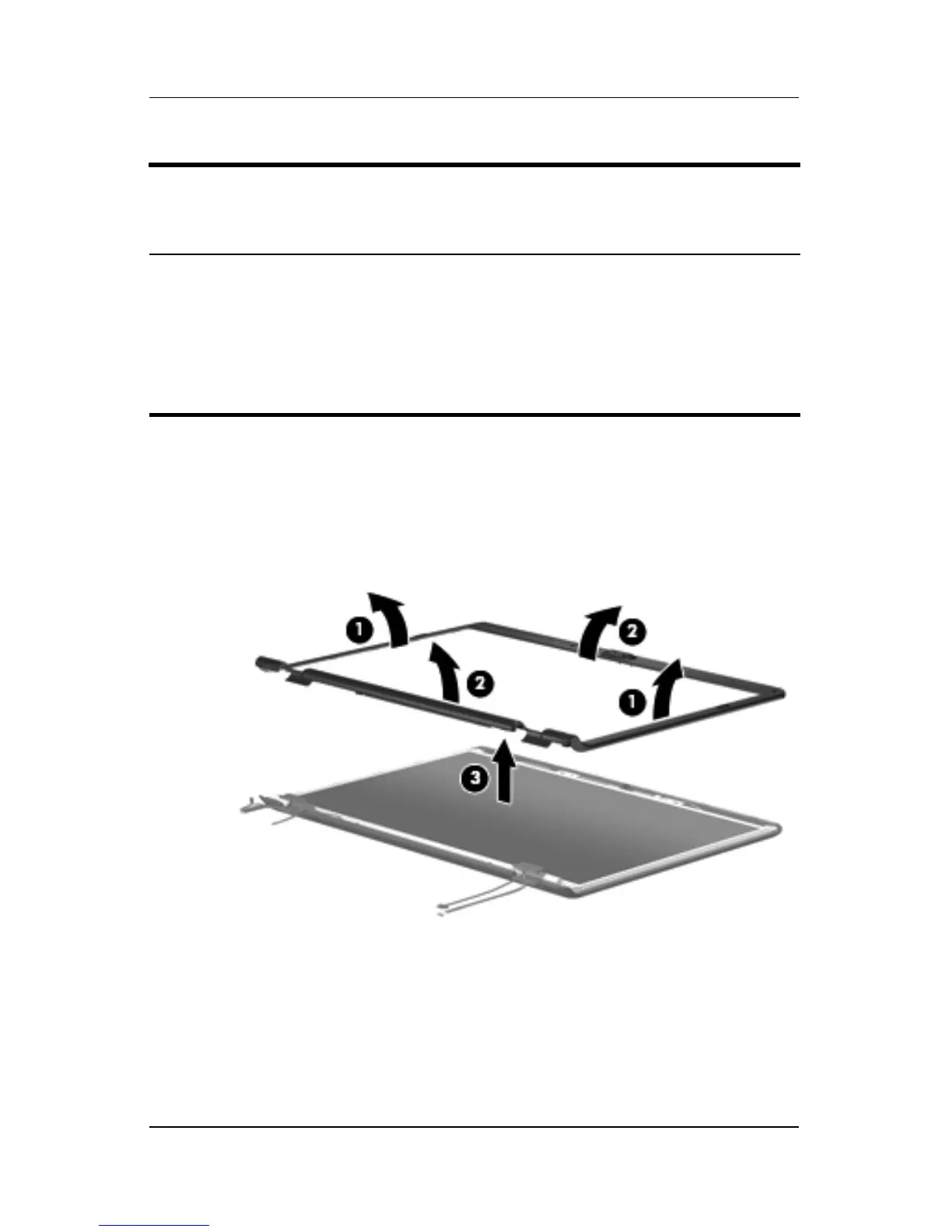
13. Flex the inside edges of the left and right sides 1 and the top
and bottom sides 2 of the display bezel until the bezel
disengages from the display enclosure.
14. Remove the display bezel 3.
Removing the Display Bezel
Display Assembly Subcomponents
Spare Part Number Information
Display bezels
For use with full-featured computer models with camera
(includes camera and microphone openings)
For use with full-featured computer models without camera
(includes microphone openings)
For use with defeatured computer models
431388-001
433281-001
433282-001











 To Next Page