5–30 Maintenance and Service Guide
Removal and Replacement Procedures
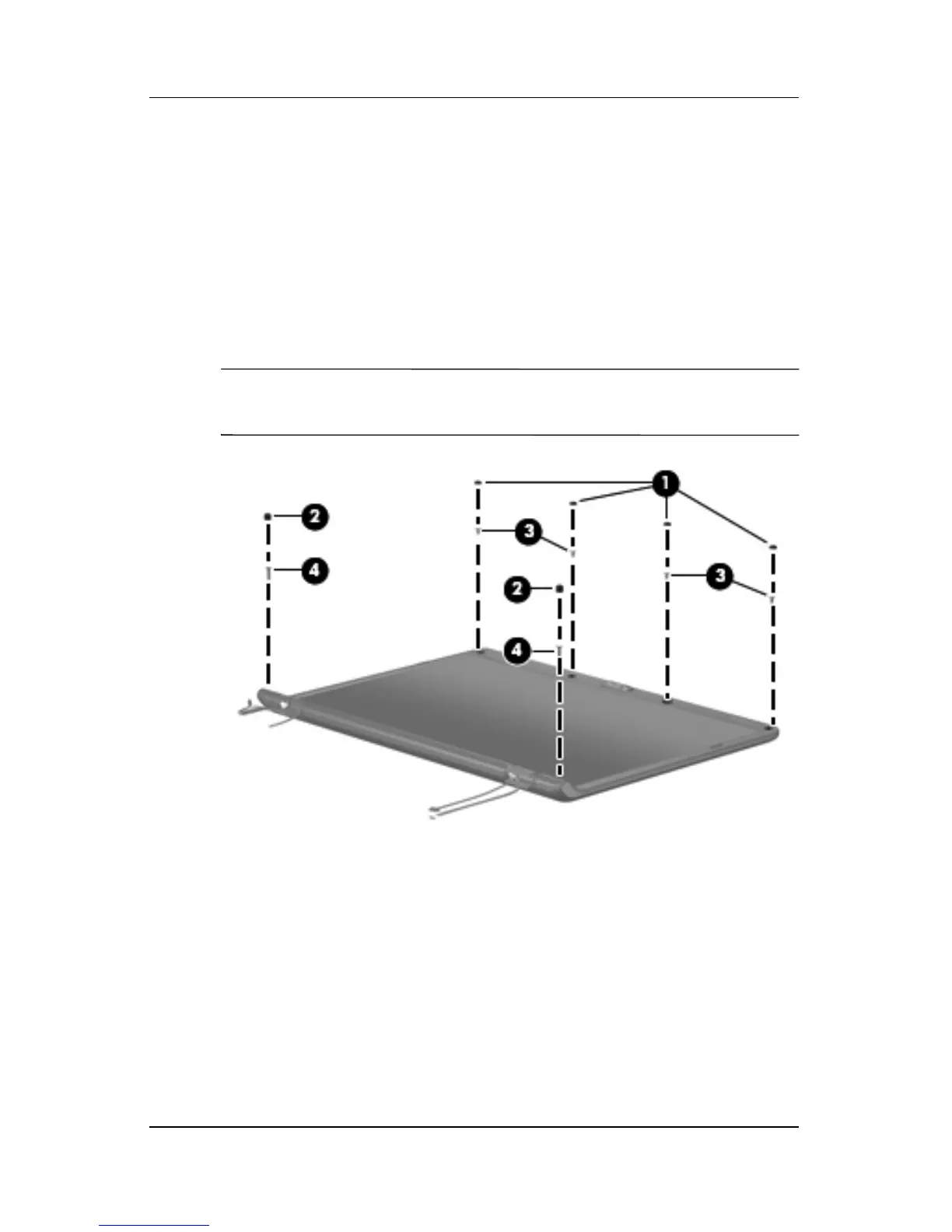
12. Remove the following:
1 Four rubber screw covers on the display bezel top edge
2 Two rubber screw covers on the display bezel bottom edge
3 Four Phillips PM2.5×5.0 screws on the display bezel
top edge
4 Two Phillips PM2.5×7.0 screws on the display bezel
bottom edge
✎
The display rubber screw covers are included in the Display
Screw Kit, spare part number 431399-001.
Removing the Display Bezel Screws











 To Next Page