Removal and Replacement Procedures
Maintenance and Service Guide 5–19
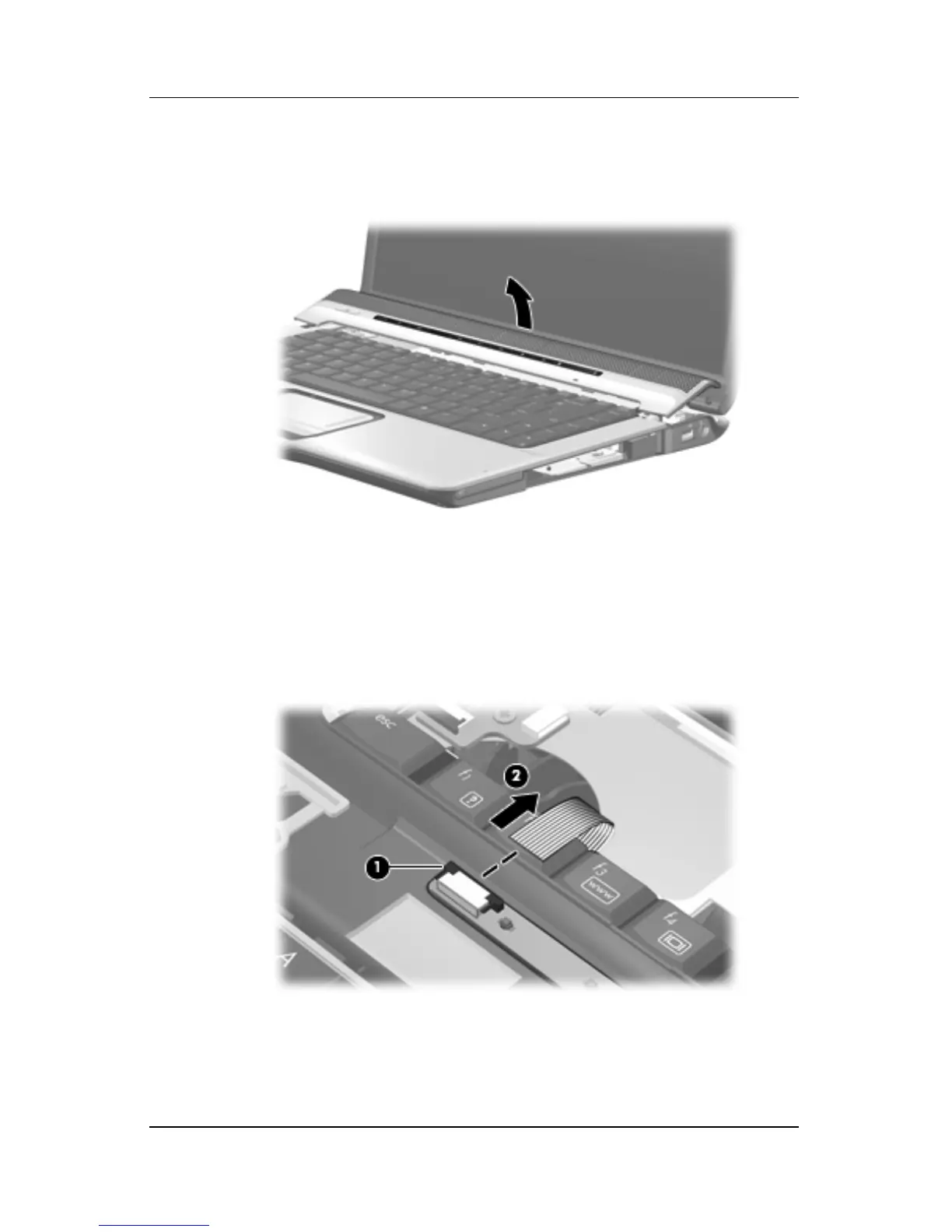
7. Lift the rear edge of the switch cover and swing it forward
until it rests on the keyboard.
Releasing the Switch Cover
8. Release the zero insertion force (ZIF) connector 1 to which
the LED board cable is connected and disconnect the cable 2
from the LED board.
9. Remove the switch cover.
Disconnecting the LED Board Cable
Reverse the above procedure to install the switch cover.











 To Next Page