C–4 Maintenance and Service Guide
Display Component Recycling
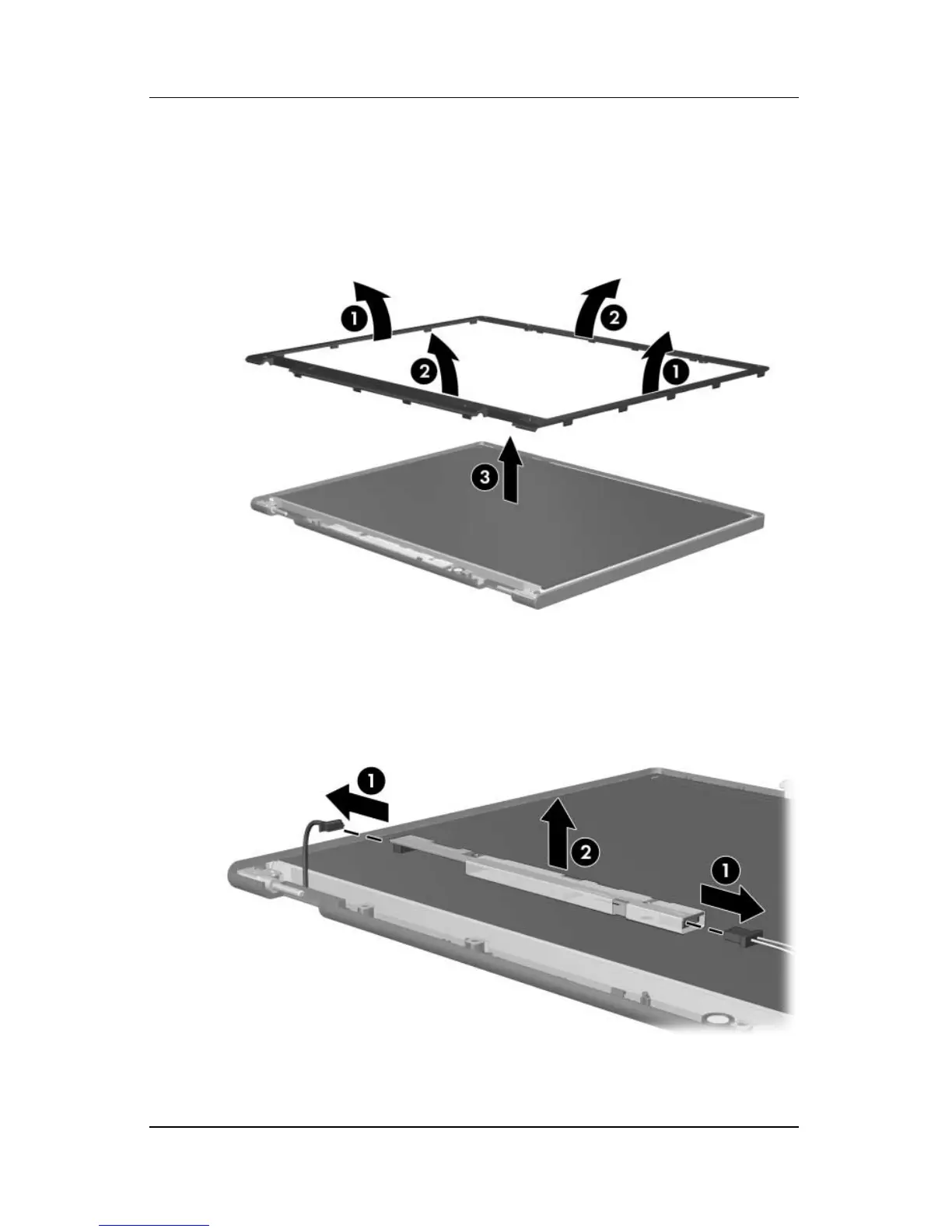
2. Lift up and out on the left and right inside edges 1 and the
top and bottom inside edges 2 of the display bezel until the
bezel disengages from the display assembly.
3. Remove the display bezel 3.
Removing the Display Bezel
4. Disconnect all LCD panel cables 1 from the display inverter
board and remove the inverter board 2.
Removing the Display Inverter Board











 To Next Page