Replaceable Parts
Assembly and Disassembly Guidelines
5-18 HP EPM-441A/442A Service Guide
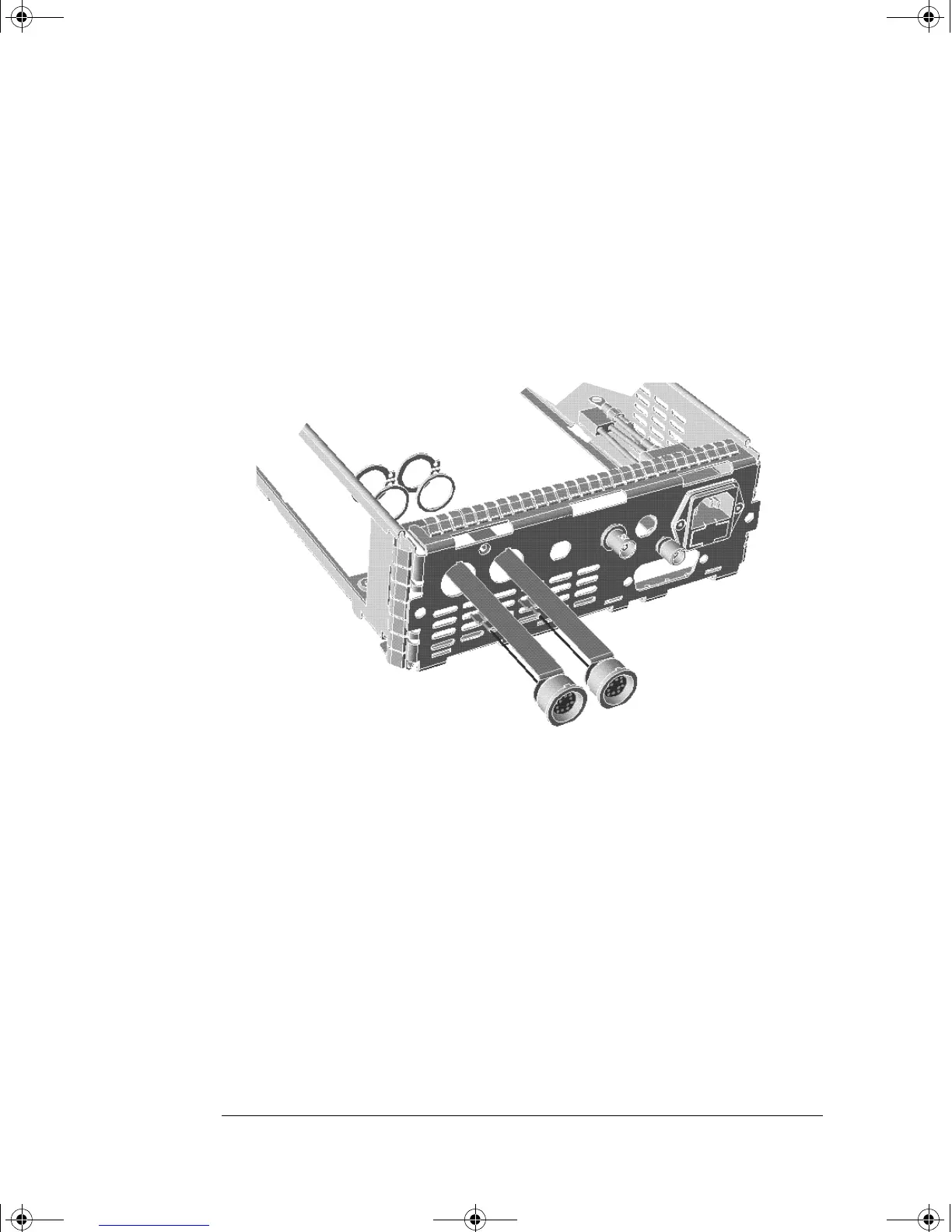
Replacing the Rear Panel Power Sensor Cable Assemblies
(Options 002 and 003)
1. Disassemble the power meter to allow access to the rear panel
connectors. This is done by following steps 1 through 3 of the A4
interface assembly removal procedure on page 5-10.
2. Replace the power sensor cable assembly(s) using the replacement
kits. The inner recess on the power sensor cable is used to locate
the circlip when assembling to the rear chassis.
4402serv.book Page 18 Monday, March 11, 2002 11:34 AM



 To Next Page