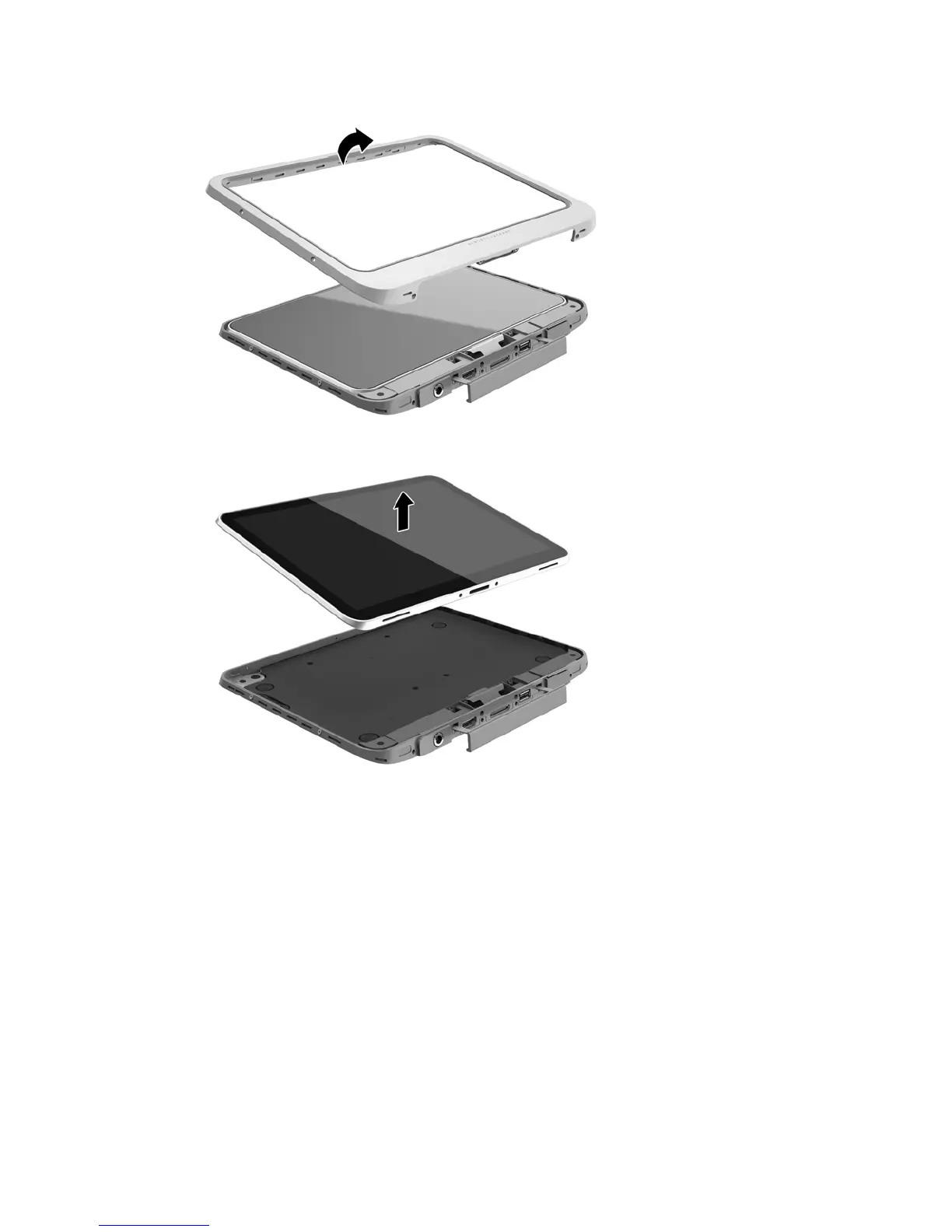
5. Carefully lift the edges of the front cover of the jacket, and then remove the cover.
6. Lift the tablet from the jacket at an angle, starting at the top.
7. Insert the end of a paper clip into the access door release hole (1).
8. Press in gently until the access door is released, and then open the access door (2).
Using HP Mobile Broadband (select models only) 17




 To Next Page