26
3.7 Collision Detection
If the Collision Detection function is enabled, this camcorder begins
emergency recording once it detects any collision. Sensitivity of the
Collision Detection function is set to Normal by default, if user wants to
change the settings of Collision Detection, do the following:
1. Tap icon to enter the OSD menu and choose Setting.
2. Tap / icon to select Collision Detection, and tap High,
Middle or Low sensitivity.
3. Tap the
<
icon three times to return recording screen.
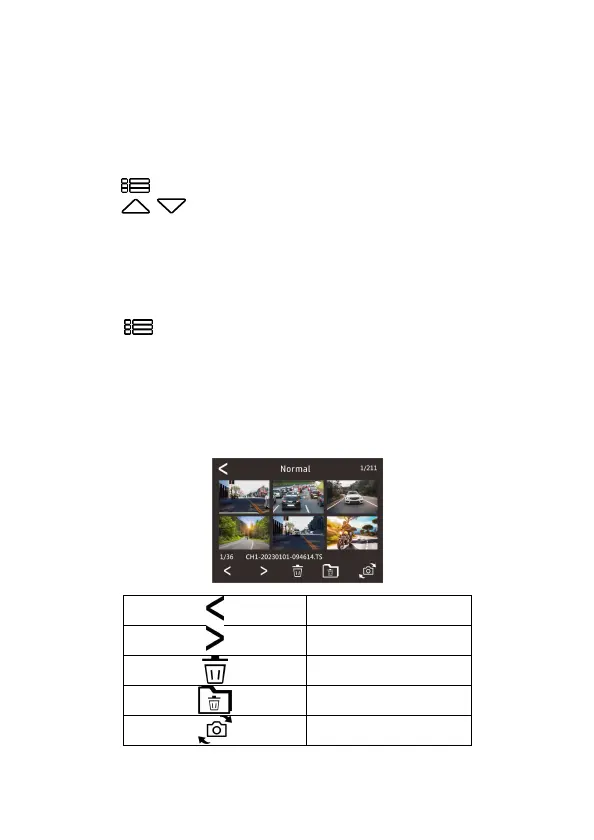
3.8 Playback Videos and Photos
1.
Tap icon to enter the OSD menu and choose
File Browser
.
2.
Tap
Normal
,
Event
, or
Picture file
icon to enter file listing.
3.
Tap the < icon three times to return recording screen.
4.
Tap the file to playback, or tap the icons in the bottom to delete the
file or switch the file shot by front/rear camera.
Previous page
Next page
Delete file
Delete all files
Switch front/rear camera



 To Next Page