18
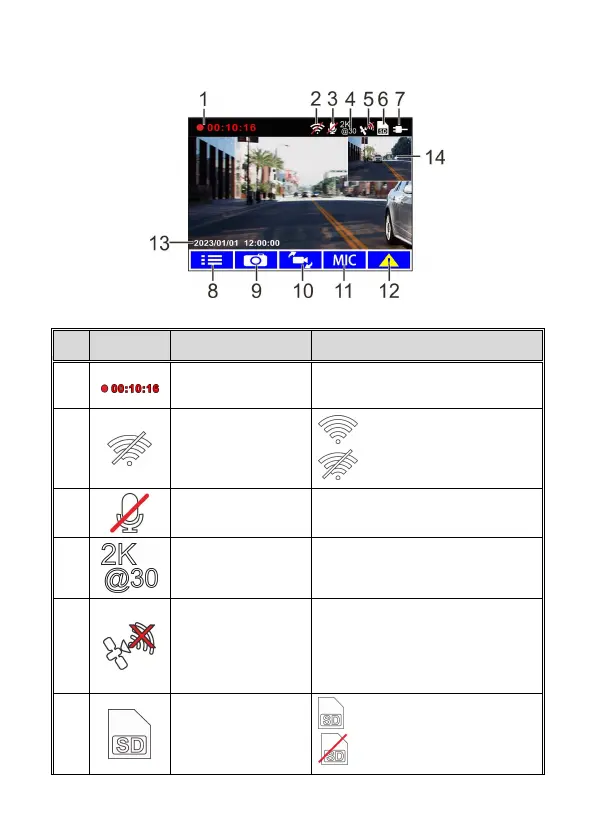
3.2 The Recording Screen
No.
Icon Item Description
1
Recording Duration Indicates the video current duration.
2
Wi-Fi icon
Wi-Fi on
Wi-Fi off
3
Voice Record
icon
Indicates voice recording sets as off,
the sound will not be recorded.
4
Resolution
icon
Indicates the video resolution.
5
Satellite Positioning
icon
Indicates the strength of satellite
positioning. If the icon shows in red
on screen, it indicates that the
camcorder cannot complete the
satellite positioning.
6
MicroSD card
card inserted
no card



 To Next Page