10 User’s Guide
Setting Up
Projector at a glance
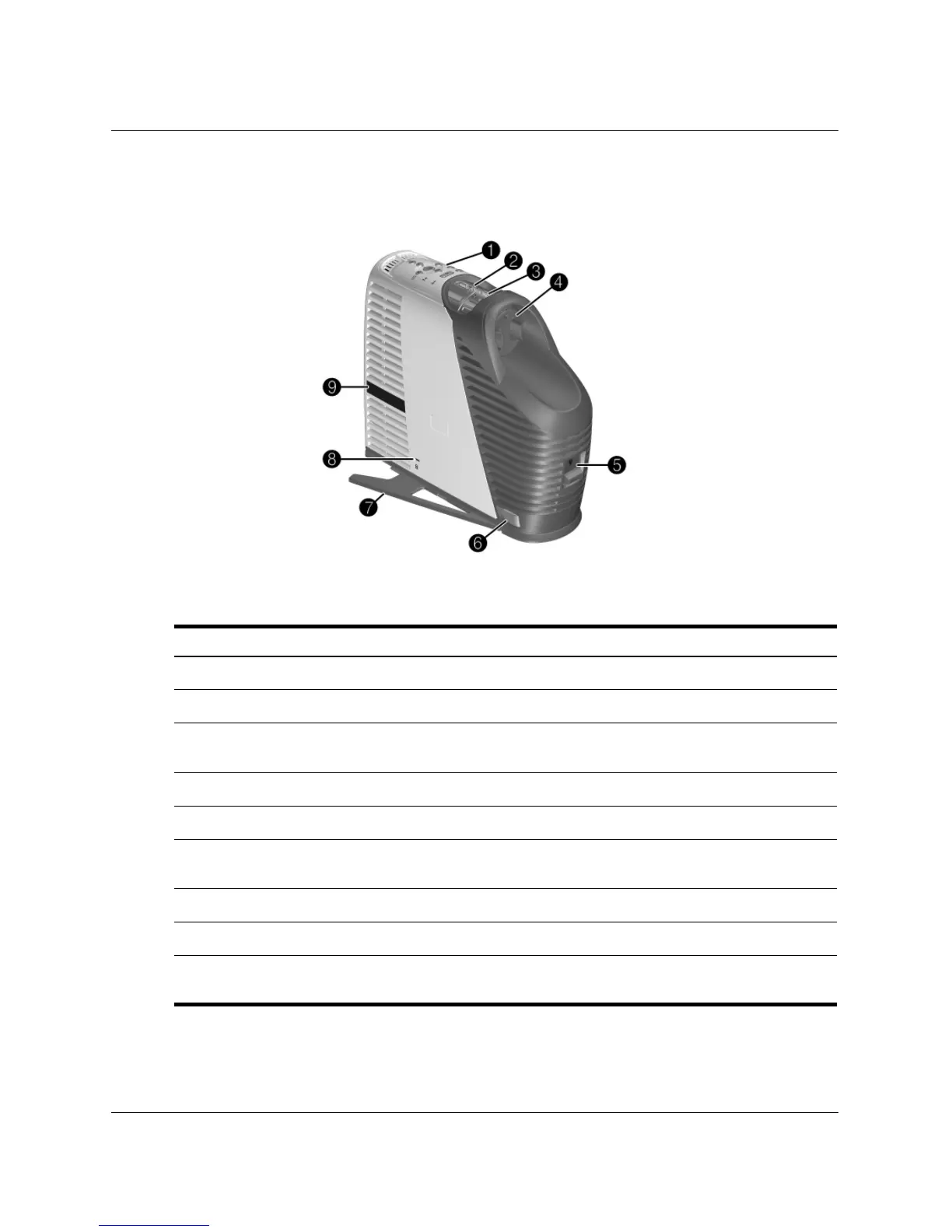
Identifying the projector
Symbol Item Function
1
Button panel Contains buttons and lights.
2
Zoom ring Enlarges picture size 100–120%.
3
Focus ring Focuses at distances of 1.2 to 12 m
(4 to 40 ft).
4
Lens cover Protects lens.
5
Lamp latch Releases lamp housing for replacement.
6
Tilt button Adjusts the height of the picture and extends
the supports.
7
Support Adds extra stability to the projector.
8
Security slot Secures the projector using a cable lock.
9
Receiver for remote control Receives signals from the remote control (one
on each side).



 To Next Page