User’s Guide 31
2
Giving Presentations
The chapter explains how to give presentations with the projector.
■ “Using the Remote Control” on page 31
■ “Showing Presentations” on page 33
Using the Remote Control
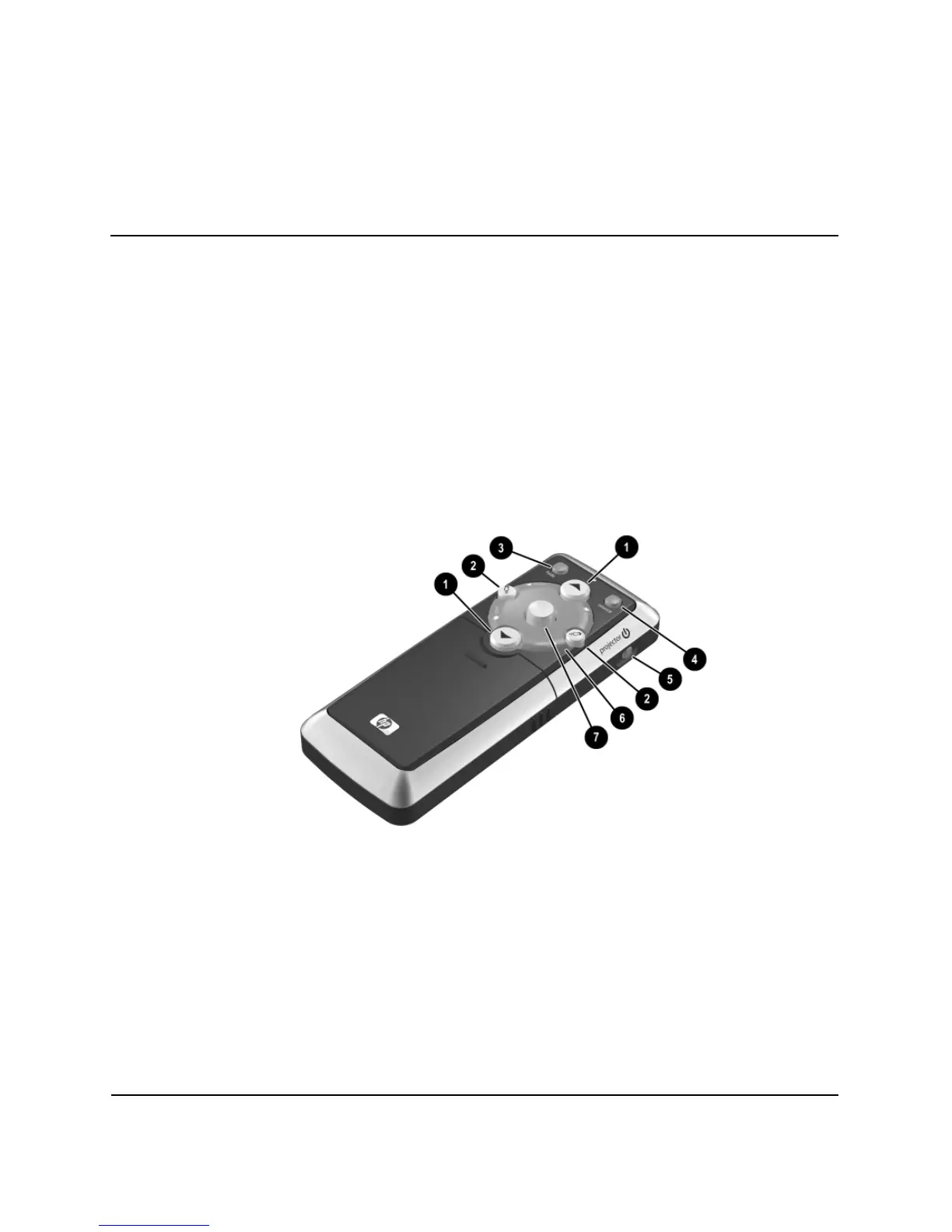
■ To turn the project on or off, press the power button 5.
■ To turn on the laser pointer, hold down the blue laser ring 6.
■ To hide or unhide the projected picture, press the hide button 3.
■ To switch to the next connected input source, press the source button 4.
■ To operate as a mouse on a computer, tilt the mouse 7 button to move the pointer,
and press the left-click
2 or right-click 2 button. This feature requires a USB
connection between the projector and computer.



 To Next Page