User’s Guide 11
Setting Up
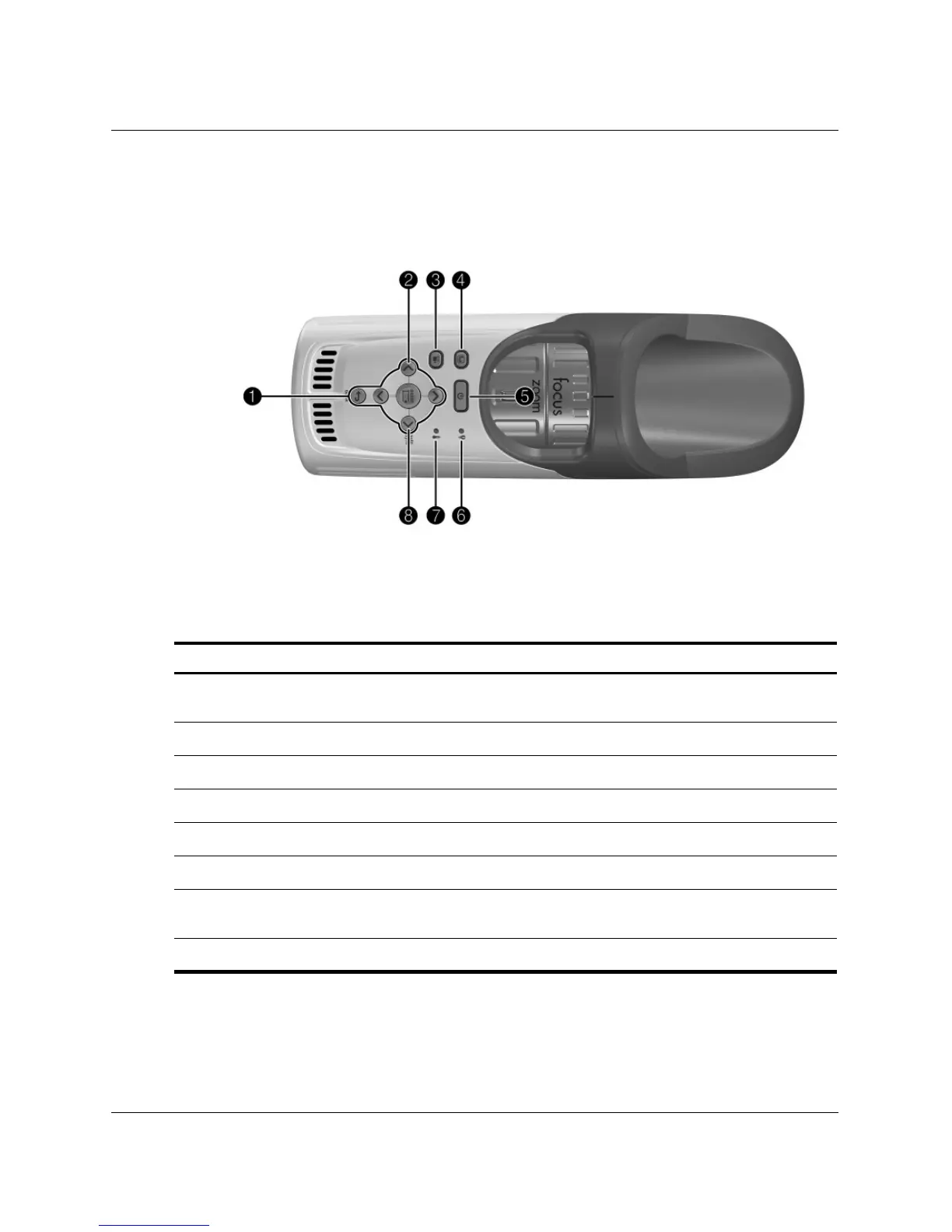
Projector buttons and lights
Identifying buttons and lights on the projector
Symbol Item Function
1
Enter button, back button,
and directional arrows
Change projector settings using the on-screen
menu.
2
Source button Switches to the next input source.
3
Theater video button Optimizes the picture for video input.
4
Business graphics button Optimizes the picture for data input.
5
Power button Turns the projector on or off.
6
Lamp-warning light Turns on when lamp fails.
7
Temperature-warning light Turns on when the internal temperature is
too high.
8
Auto sync button Resynchronizes the projector to input signal.



 To Next Page