User’s Guide 13
Setting Up
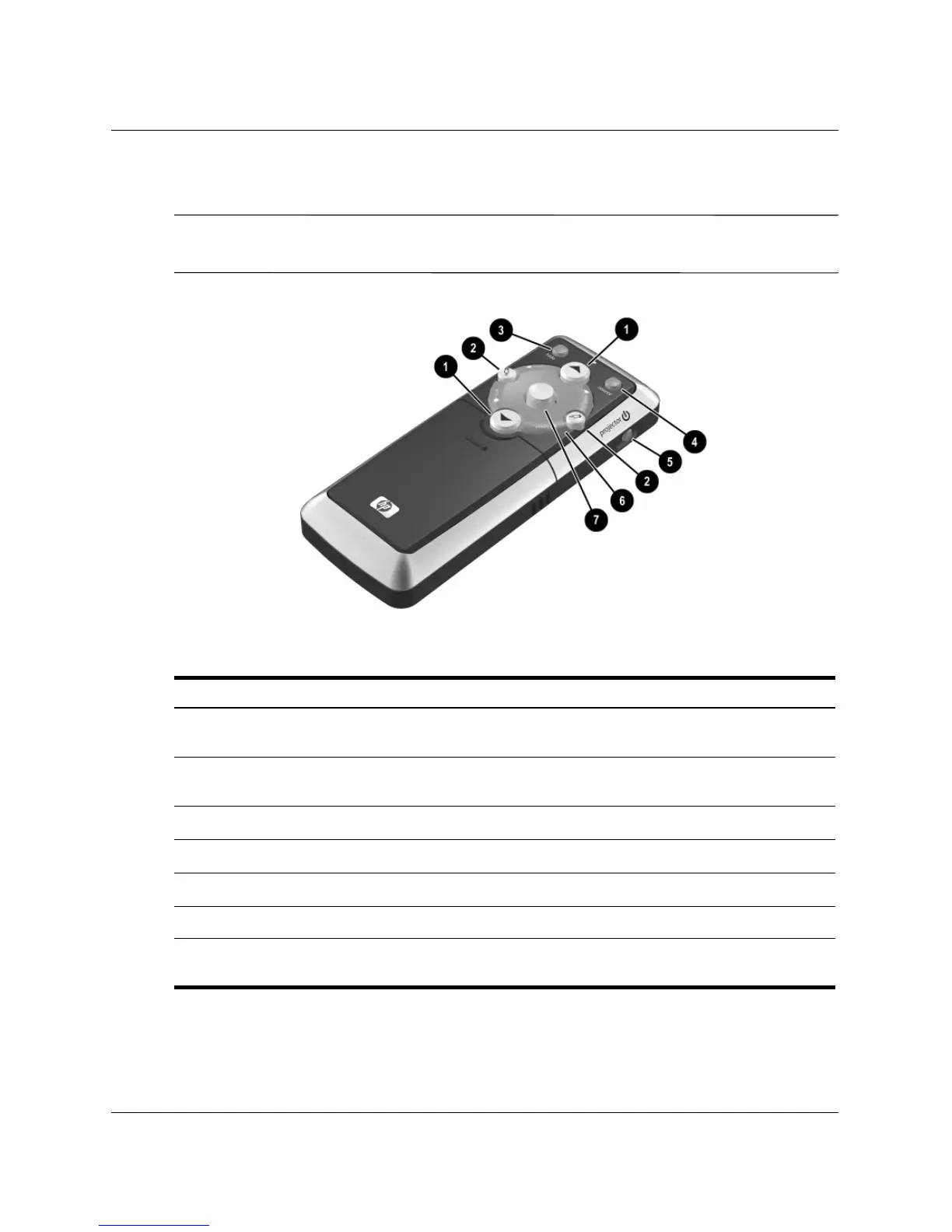
Remote control
✎
Before using the remote control, install two AAA batteries. See “To replace the
battery in the remote control” on page 50.
Identifying the remote control with case closed
Symbol Item Function
1
Page-up and page-down
down
Scroll up and down through pages on a
connected computer.
2
Left-click and right-click mouse
functions
Perform left-click and right-click functions for
a connected computer.
3
Hide Hides the display.
4
Source Switches to the next input source.
5
Power Powers on and off the projector.
6
Laser ring Turns on the laser pointer.
7
Mouse button Moves the mouse pointer on a connected
computer.



 To Next Page