14 User’s Guide
Setting Up
Å
WARNING: To reduce the risk of injury to the eyes, do not look directly into the
remote control laser light, and do not point the laser light into anyone’s eyes.
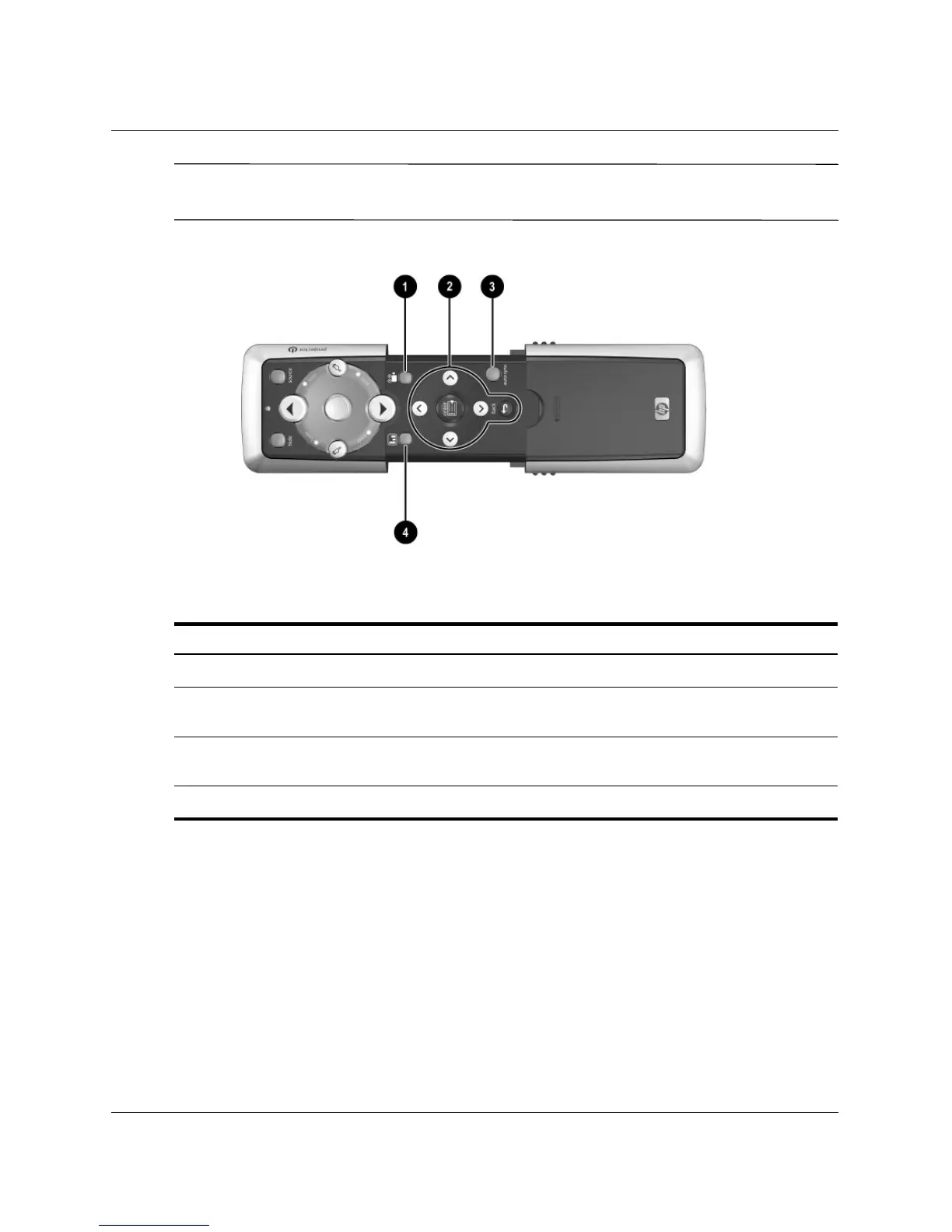
Identifying remote control with case open
Symbol Item Function
1
Theater video button Optimizes the picture for video input.
2
Menu buttons Change projector settings using the on-screen
menu.
3
Auto sync Resynchronizes the projector to the input
signal.
4
Business graphics button Optimizes the picture for data input.



 To Next Page