20
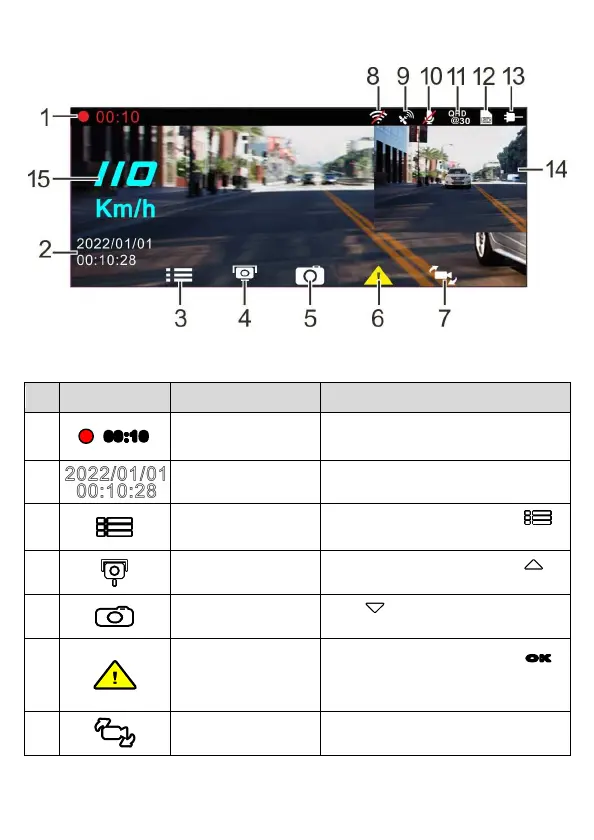
3.2 The Recording Screen
No.
Icon Item Description
1
00:10
Recording Duration Indicates the video current duration.
2
Date / Time
Indicates the current recording date and
time.
3
Menu Button
During video recording, press the
button to enter the OSD menu.
4
Add Speed Point
Button
During video recording, press the
button to add a speed cam point.
5
PIV (Picture in Video)
Button
Press to capture video screen
shots from the front camera.
6
Emergency Recording
Button
During video recording, press the
OK
button to enter emergency recording
mode.
7
Switch Camera
Button
Press CH to switch VIV screen.



 To Next Page