32
3.9 HUD
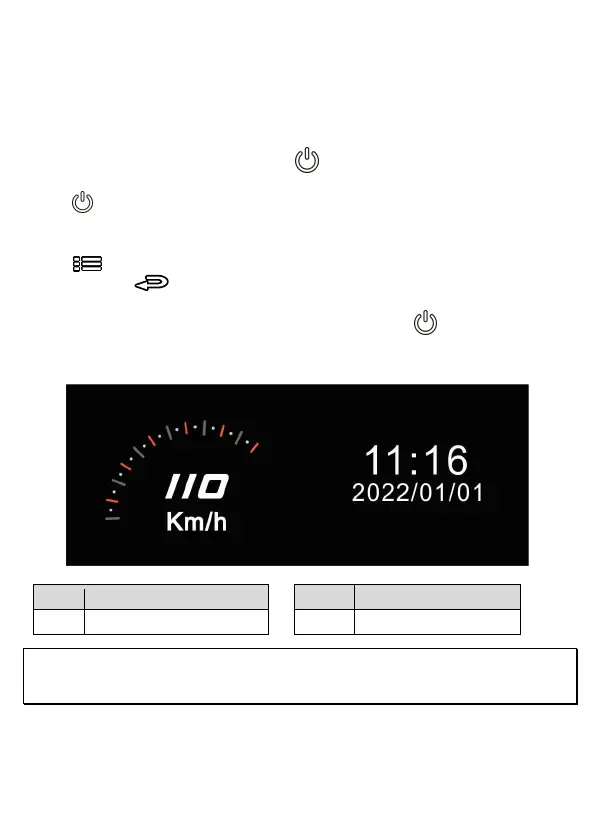
HUD contains car speed and date/time information. When screen displays HUD,
the recording is still going on. There are two ways to enter HUD mode.
1. Manually
When the camcorder is recording, press Power button will enter 2 GRID
FUNCTION CHART in the LCD screen, users can check vehicular information here.
Press Power button once again will go back into your recording.
2. Automatically
Press
button to enter menu setting, and select “HUD” from “LCD Setting”,
and then press button to return to preview screen. When the setting is
done, next time when you start up the car and power on the camcorder, wait for 7
seconds, it will auto enter HUD mode. In HUD mode, press button to exit the
HUD mode and back to preview screen If there is no action in 7 seconds, it will
automatically enter HUD mode once again.
No. Item No. Item
1 Driving Speed 2 Date/time
Note:
Car speed on HUD is only applicable when satellite positioning of the camcorder is ready; otherwise, it will be
displayed in gray scale only.



 To Next Page