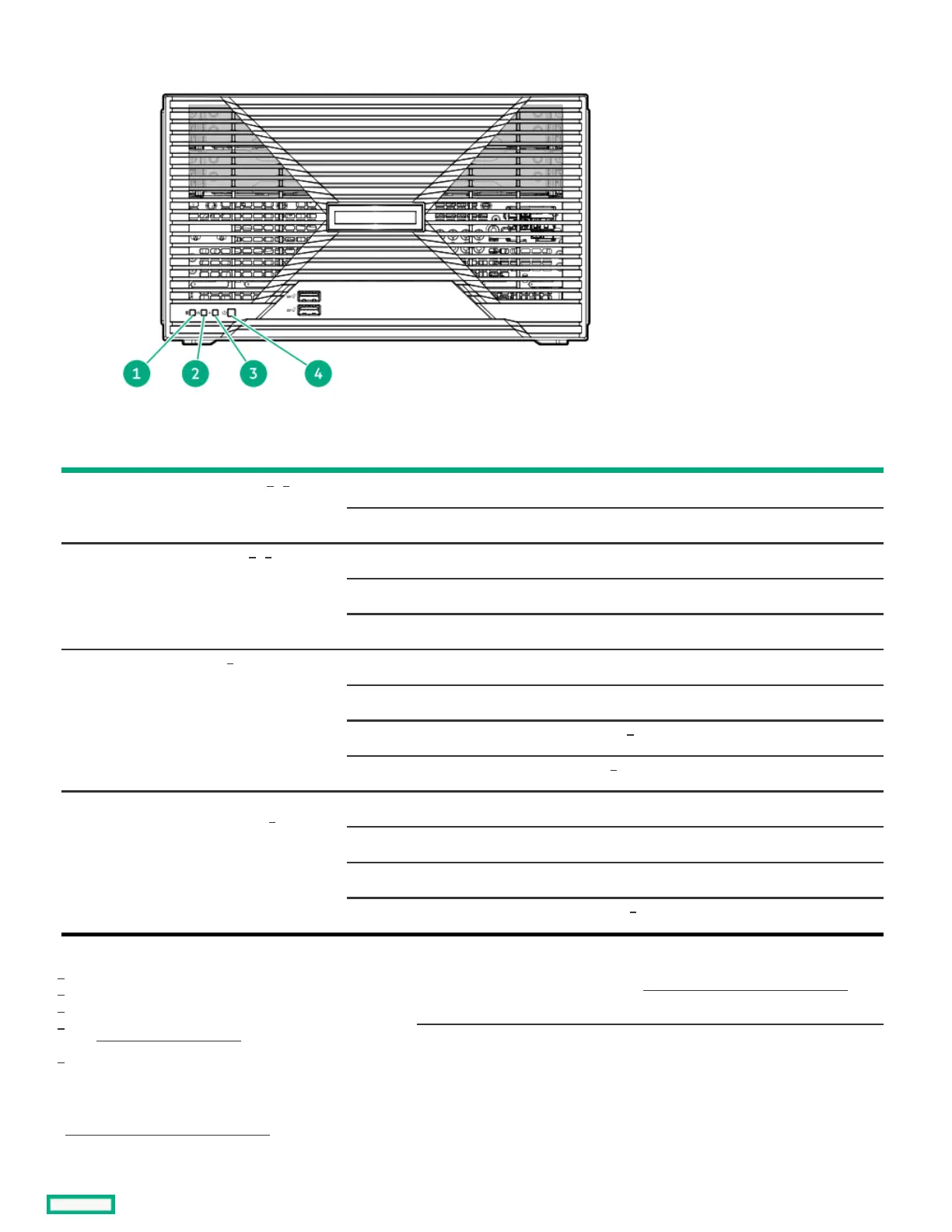
Front panel LEDs and buttonFront panel LEDs and button
ItemItem DescriptionDescription StatusStatus DefinitionDefinition
1 Drive activity LED Flashing green Ongoing drive activity
Off No drive activity
2 NIC status LED Solid green Linked to network
Flashing green Network active
Off No network activity
3 Health LED Solid green Normal
Flashing green iLO is rebooting
Flashing amber System degraded
Flashing red System critical
4 Power on/Standby button and
system power LED
Solid green System on and normal operation
Flashing green Performing power-on sequence
Amber System in standby
Off No power present
This LED only reflects the status of drives that are connected to the onboard SATA port.
When these LEDs flash simultaneously, a power fault has occurred. For more information, see Front panel LED power fault codes.
This LED reflects the status of the onboard NIC ports and the optional iLO dedicated network port.
If the health LED indicates a degraded or critical state, review the system Integrated Management Log (IML) or use HPE iLO to review
the system health status.
Facility power is not present, power cord is not attached, or power supply failure has occurred.
SubtopicsSubtopics
Front panel LED power fault codesFront panel LED power fault codes
1
,
2
2
,
3
2
4
4
2
5
1
2
3
4
5













 To Next Page