Front panel LEDs and buttonFront panel LEDs and button
Rear panel componentsRear panel components
Rear panel LEDsRear panel LEDs
System board componentsSystem board components
Drive bay numberingDrive bay numbering
Drive screwsDrive screws
Fan mode behaviorFan mode behavior
Trusted Platform Module 2.0Trusted Platform Module 2.0
Component touchpointsComponent touchpoints
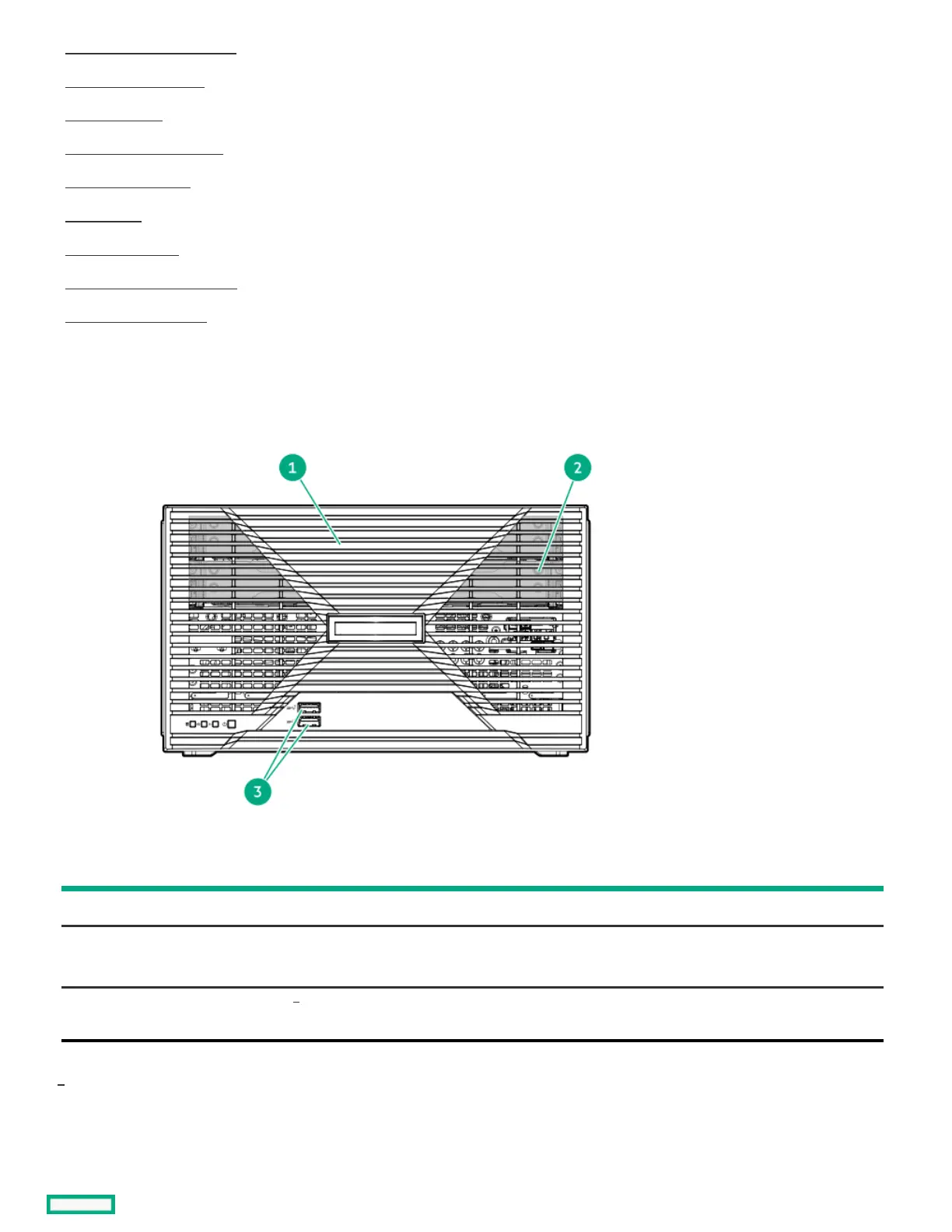
Front panel componentsFront panel components
ItemItem ComponentComponent DescriptionDescription
1 Front bezel To access the drive bays, remove this bezel.
2 Drive bays (four, behind the front bezel) The drive bays support 3.5-inch LFF SATA drives.
To support 2.5-inch SFF drives, install the LFF-to-SFF drive converter option.
3 USB 3.2 Gen 2 Type-A ports Connect USB devices. These ports are backwards compatible with earlier USB
Type-A version devices.
These ports are also known as SuperSpeed USB 10 Gb/s ports. The appropriate cable and compatible hardware are required to take
advantage of the 10 Gb/s data transfer speed.
Front panel LEDs and buttonFront panel LEDs and button
1
1













 To Next Page