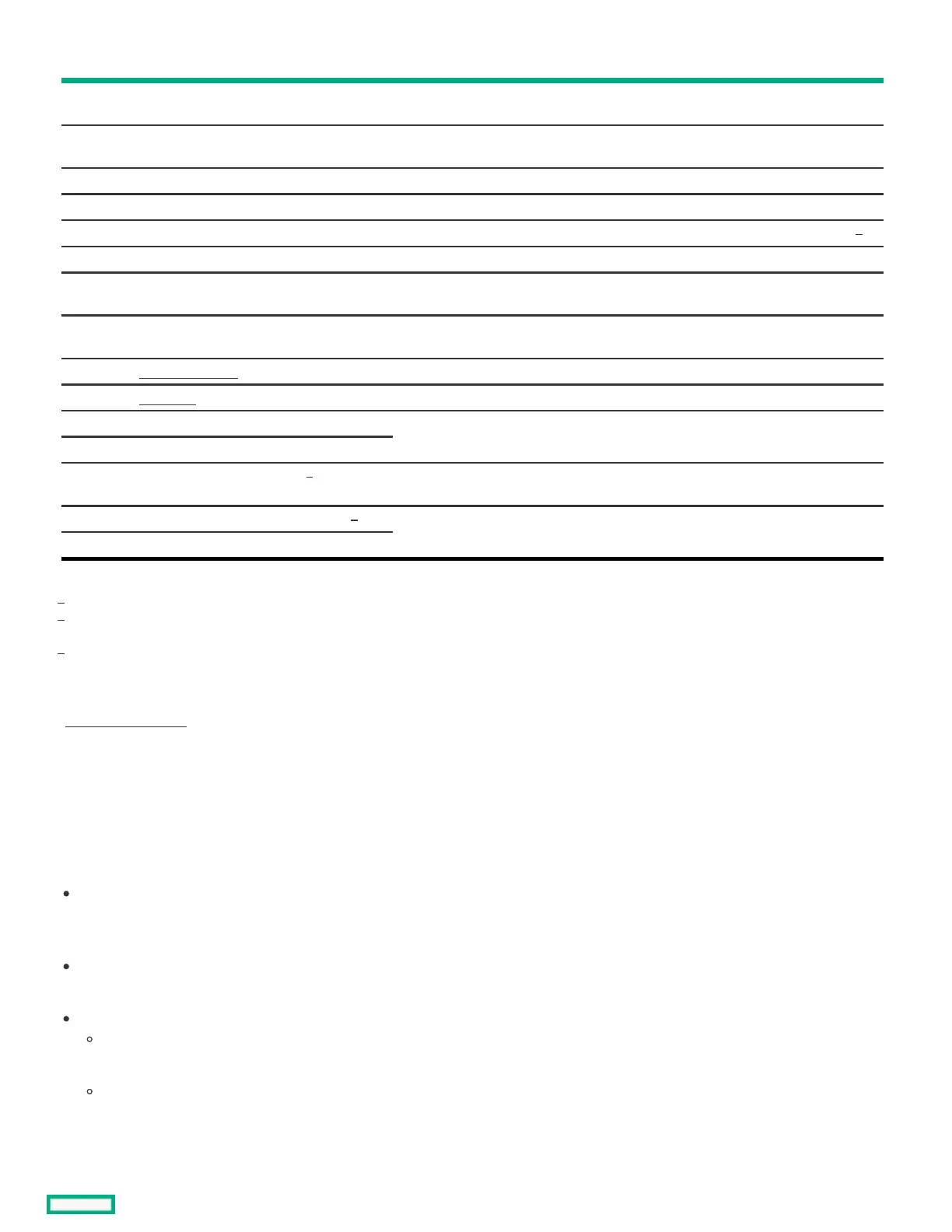
ItemItem ComponentComponent DescriptionDescription
1 Padlock eye To lock the chassis cover and prevent access to the internal components, attach a
padlock here.
2 Kensington security slot To secure the server to a heavy or immovable object, connect an antitheft security
cable here.
3 Power cord clamp Secures the power adapter cord.
4 Power jack Connects the power cord.
5 Slot 2 PCIe4 x8 Connects a half-height, half-length (low-profile) PCIe4 expansion card option.
6 Slot 1 PCIe5 x16 Connects a half-height, half-length (low-profile) PCIe5 expansion card option.
7 Serial port (optional) Connects to a physical serial device. This port requires the installation of the iLO-
M.2-serial module option.
8 iLO dedicated network port (optional) To connect iLO to a dedicated management network, connect a standard Ethernet
cable here. This port requires the installation of the iLO-M.2-serial module option.
9 DisplayPort 1.1a Connects to a high-resolution digital display device.
10 VGA port Connects to an analog display device.
11 1 Gb RJ45 port 3 To connect the server to a wired network, connect a standard Ethernet cable here.
12 1 Gb RJ45 port 4
13 USB 3.2 Gen1 Type-A ports Connect USB devices. These ports are backwards compatible with earlier USB
Type-A version devices.
14 1 Gb RJ45 port 1 / iLO shared port To connect the server to a wired network, connect a standard Ethernet cable here.
15 1 Gb RJ45 port 2
Support up to four lanes PCI Express Gen 4
These ports are also known as SuperSpeed USB 5 Gb/s ports. The appropriate cable and compatible hardware are required to take
advantage of the 5 Gb/s data transfer speed.
When the server has the iLO-M.2-serial module option, this port supports iLO.
SubtopicsSubtopics
Display device setupDisplay device setup
Display device setupDisplay device setup
This server supports both VGA port and DisplayPort 1.1a. Before connecting a display device to this server, review the following
information:
Whenever possible, use the same display connection type. For example, if your PC or monitor only has a VGA output, connect it to the
server VGA port. Use of any kind of adapter or converter cable or dongle might lead to decreased display quality or a lag over the
connection.
DisplayPort connection: When connecting an HDMI or DVI display to the DisplayPort, use an active type adapter. Passive type adapter—
marked with the DP++ symbol—is not supported.
Display output modes:
If you connect two display devices to the VGA port and DisplayPort, the same image is shown on both devices—screen mirroring
mode.
The embedded video controller in the iLO chipset does not support dual display or screen extension mode. To enable dual display
mode, install a compatible PCIe graphics card that supports this feature in the expansion slot.
1
2
3
1
2
3













 To Next Page