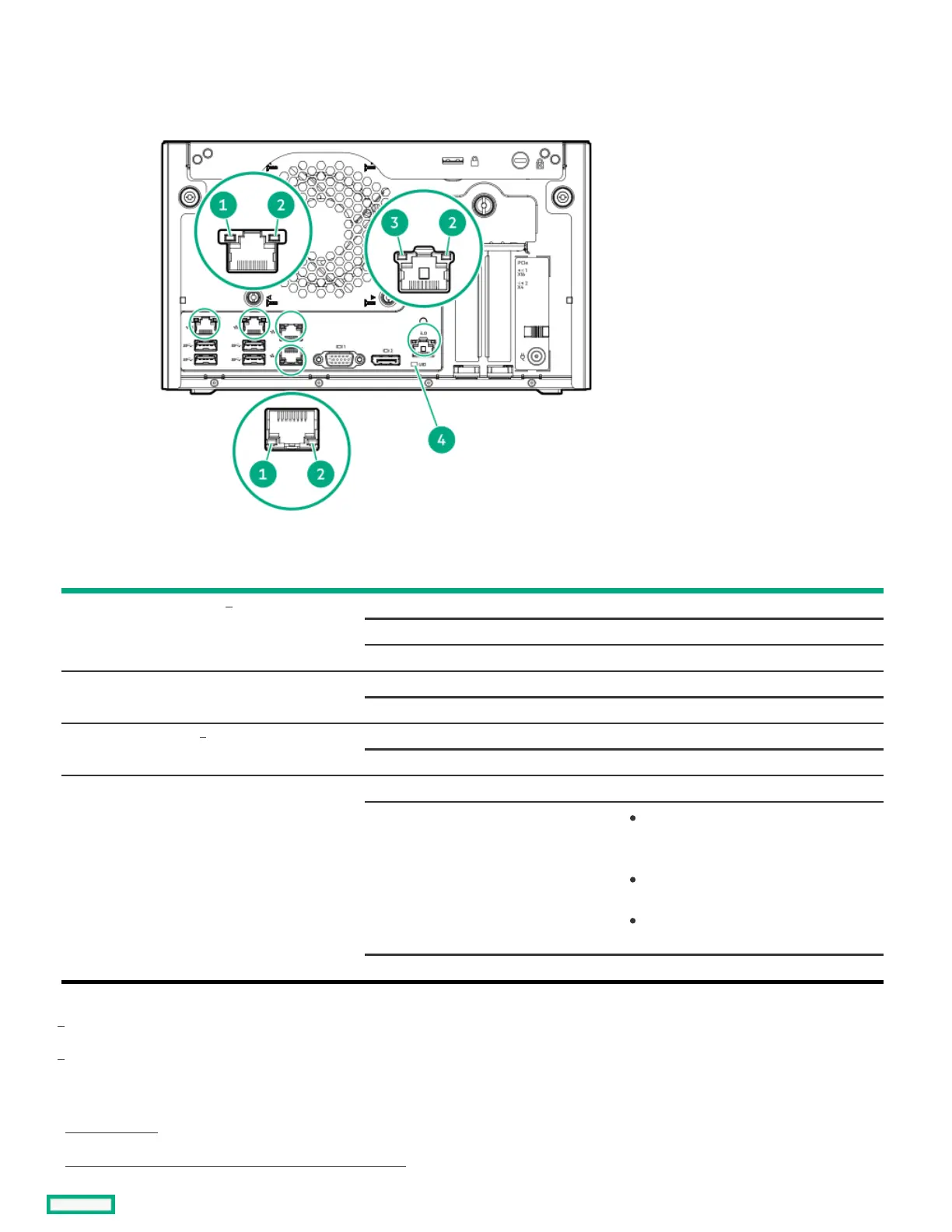
Rear panel LEDsRear panel LEDs
ItemItem DescriptionDescription StatusStatus DefinitionDefinition
1 NIC/iLO link Solid green Network link speed is 1000 Mb/s
Solid amber Network link speed is 10/100 Mb/s
Off No network link
2 NIC activity Flashing green Network active
Off No network activity
3 iLO link Solid green Network link
Off No network link
4 UID Solid blue Activated
Flashing blue
1 flash per second—Remote
management or firmware upgrade in
progress
4 flashes per sec—iLO manual reboot
sequence initiated
8 flashes per sec—iLO manual reboot
sequence in progress
Off Deactivated
RJ45 port 1 supports iLO and LAN/WAN connections when the iLO-M.2-serial option is installed. RJ45 port 2–4 does not support iLO
connection.
This iLO link LED is on the optional iLO-M2-serial module.
SubtopicsSubtopics
Server UID LEDServer UID LED
Using the UID button to view the Server Health SummaryUsing the UID button to view the Server Health Summary
1
2
1
2













 To Next Page