THT45 - THT45W - THT46
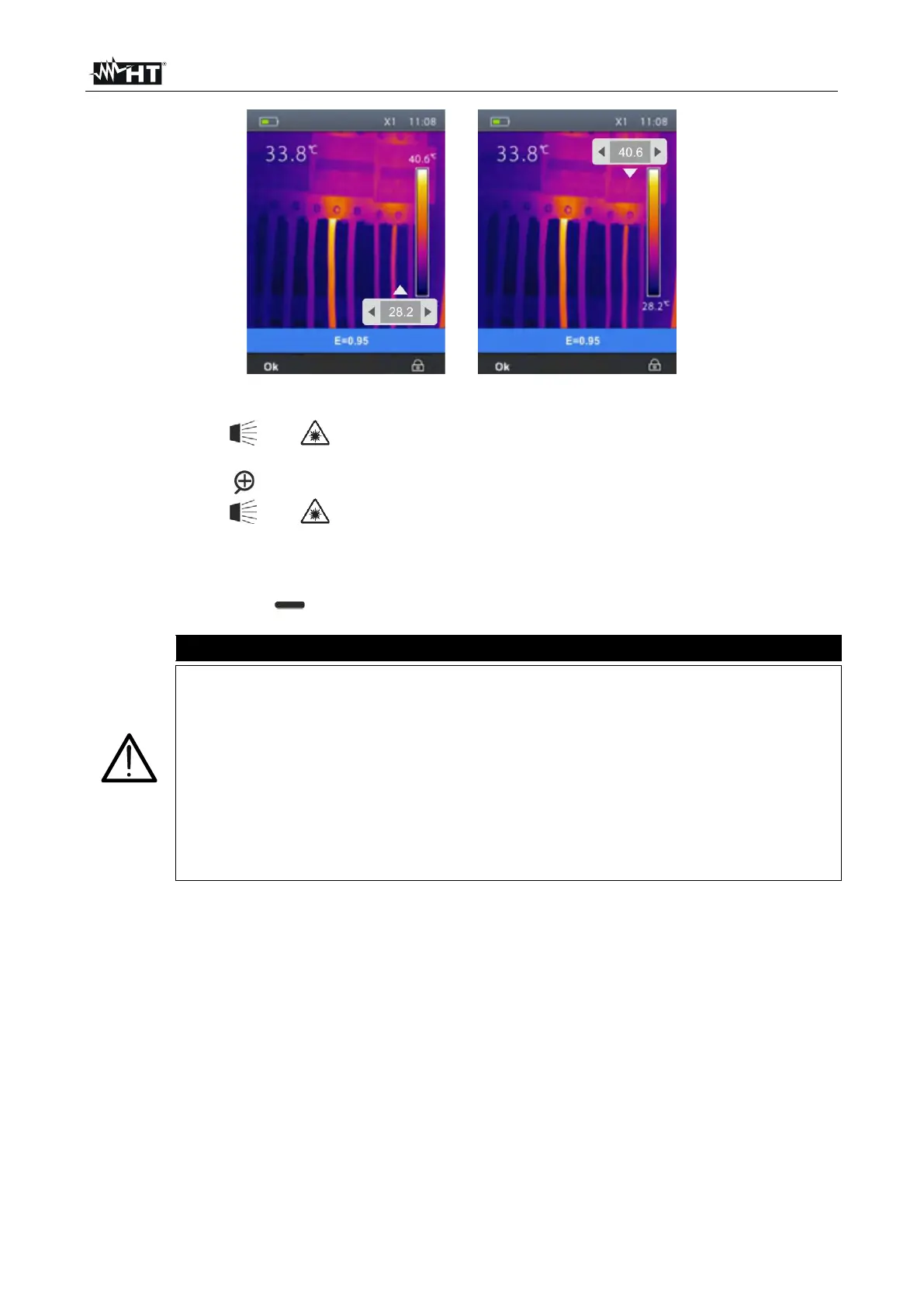
Fig. 28: Setting the adjustment mode of image temperature
2. Use the keys and to set the desired value of the temperature associated to the
minimum level. Press and hold the keys for a quick setting of the value.
3. Press the key to go to the upper level of the color palette (see Fig. 28 – Right side).
4. Use the keys and to set the desired value of the temperature associated to the
maximum level. Press and hold the keys for a quick setting of the value.
5. Press the “Ok” key to confirm. The values of the set levels are maintained by the
instrument until a new modification is performed.
6. Press the right key to go back to Auto mode.
Automatic (Auto) mode the minimum and maximum temperature levels
of the framed object on the display and associated with the colour palette
are automatically defined by the instrument and dynamically vary when
moving it. This (default) option, which can be used in most cases, allows for
an optimum display of the IR image in a condition of temperatures equally
distributed within it.
Manual mode the minimum and maximum temperature level of the
object framed on the display are manually set by the user. This mode,
particularly useful to clearly identify only some areas of the image, is
recommended in case of advanced thermographic operations.


 To Next Page