50
PART 9: CONTROL OVERVIEW
The control monitors the safety sensors of the heater to assure safe and efficient operation. It has many
features to address configurations associated with hydronic design.
This section addresses the programming features of the control. It is important to fully understand its
capabilities. This section addresses the adjustment of Heater Settings / System Settings / Maintenance
Settings and System Diagnostics to help customize your control. However, the control is programmed
with factory defaults that may already fit your hydronic design and may not require any adjustment at all.
A. NAVIGATION OF THE DISPLAY
The display includes a two-line backlit LCD readout that provides informative messages about heater
operation. Many operating parameters can be viewed and adjusted by using the six buttons on the
display. The function of each button is described below.
RESET – The RESET button has two functions:
• Reset any lockout error code.
• Return the user to the default display screen.
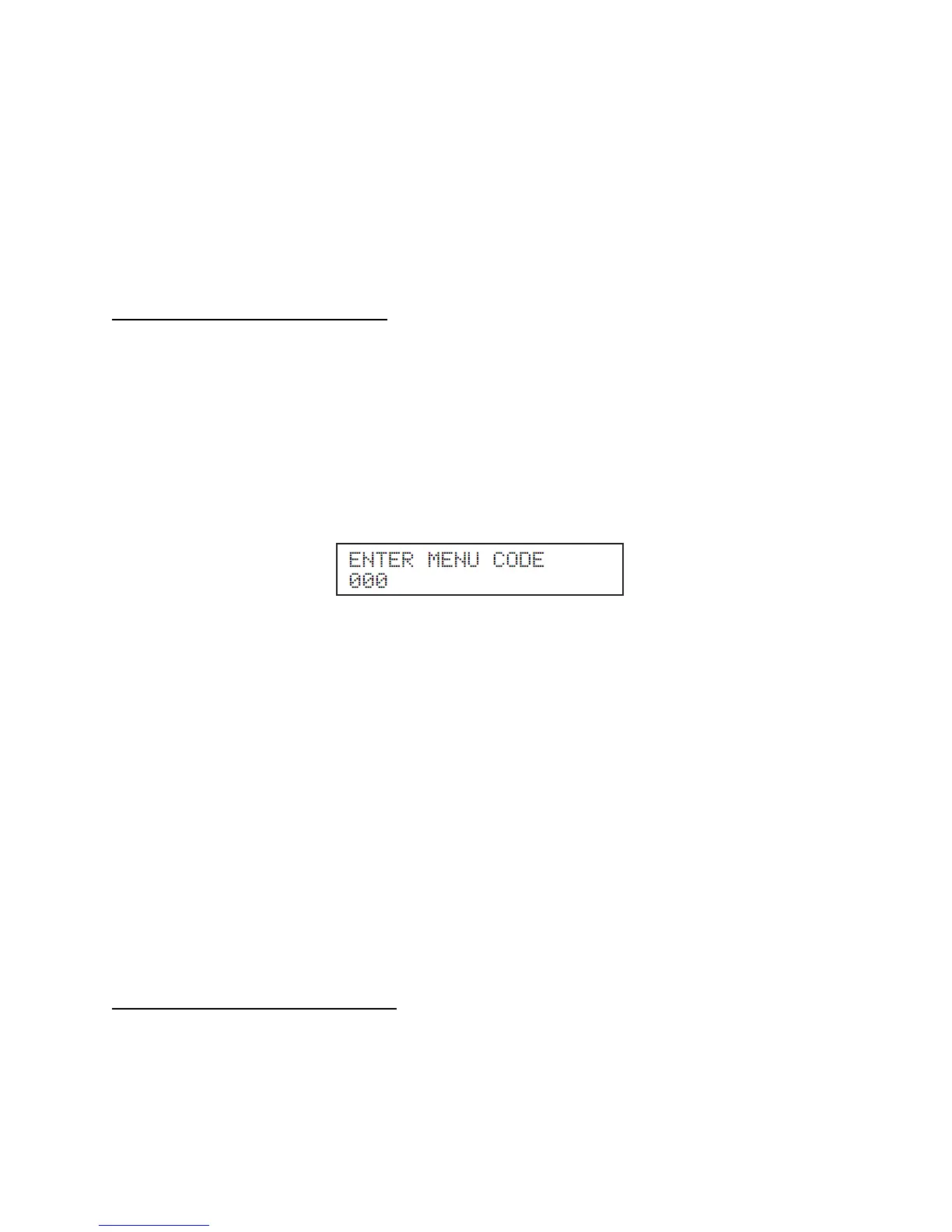
ENTER – The ENTER key is used to enter the parameter programming mode. To enter this mode, hold
down the ENTER key for more than 4 seconds. The readout will change to:
One of the zeroes will be blinking. Use the ▲▼ arrow keys to change the blinking digit to the correct
value. Use the arrow keys to select the next digit to change and again use the ▲▼ keys to change
the value. Repeat until the correct code is entered. Press the ENTER key to accept the code. If the code
is correct, the readout will change to the appropriate screen. If the programming code is not accepted the
readout will continue to display as shown above.
The ENTER key is also used to enable a parameter for editing. After navigating to the desired parameter,
hold down the ENTER key for one second. When the ENTER key is released, the parameter value will
begin to blink. The parameter can now be changed using the ▲▼ keys. After the new value is selected,
presses the ENTER key for 1 second to lock in the new parameter value. The value will then stop
blinking.
ARROW Keys – The right and left arrow keys ( ) are used to navigate between the default Display
and Status Display. The keys are also used in programming modes to change between pro-
grammable parameters. It is recommended you use the Menu Maps in the back of this manual and the
detailed menu instructions printed in this section to help in menu navigation.
ARROW Keys – The up and down (▲▼) arrow keys are used to navigate between the various param-
eters displayed in the menu. After the parameter is enabled for editing by pushing the ENTER key, the
▲▼ keys are used to adjust the parameter upward or downward to the desired value.
B. PROGRAMMING THE CONTROL
Program Access
Note: Programming the control is not possible when the heater is firing. Make sure any input (such as the
thermostat) is turned off, so the heater will remain idle and allow programming.








 To Next Page