56
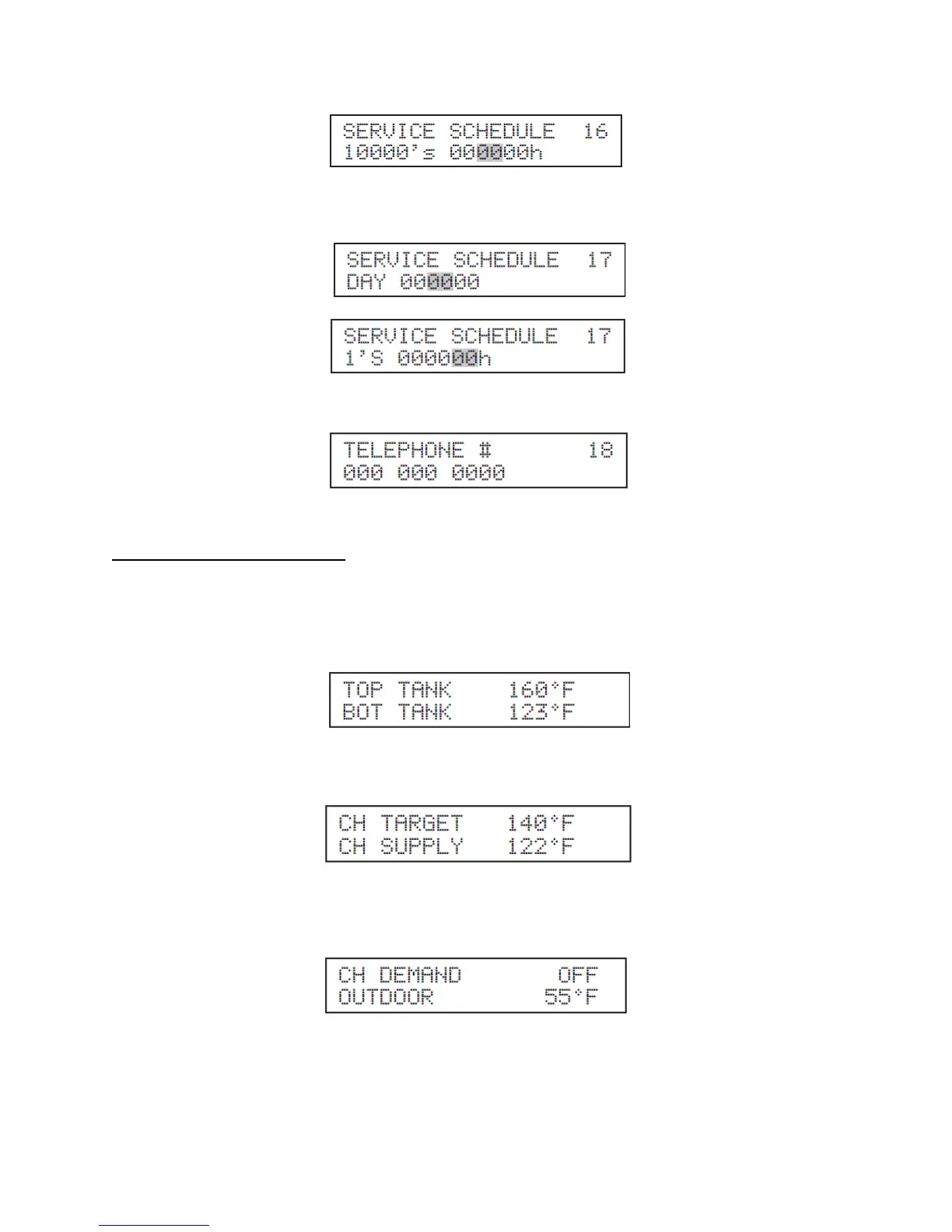
Description: This parameter sets the 2 middle digits of the amount of run hours until the next service
reminder.
Function 17
Description: Sets the day in the date function.
Description: Sets the 2 right digits of the amount of run hours until the next service reminder.
Function 18
Description: Allows the user to input a telephone number that will be displayed when maintenance is
required.
F. CONTROL STATUS MENU
The controller also has the ability to review the status of the system. To access the status screens, simply
press the key. Once the first value is displayed, press the ▲ or ▼ keys to access additional
information. At any point you may press RESET to exit the Status screen.
Listed below are the Status screens.
This screen is displayed after pressing the key as described above. This screen displays the actual
temperature that the top and bottom tank sensors are measuring.
Press the ▼ key once.
This screen displays the current central heating temperature set point on the top line. NOTE: If an outdoor
sensor is used, this temperature set point may vary from what was set in the Appliance Settings Screen.
The bottom line is the actual temperature measured by the hydronic heating module supply sensor.
Press the ▼ key once.
The top line of this screen displays the current status of the central heating demand. The bottom line
displays the temperature measured by the outdoor sensor (when used). If there is no outdoor sensor
connected to the appliance, the display will read “OFF” if the contacts are jumped. This line will display
“ON” in place of the temperature. NOTE: To ensure a properly installed sensor, be sure that this
temperature reading is similar to the current outdoor conditions.





 To Next Page