5 LOM ports (GE) 6 VGA port
7 LOM ports (10GE) 8 USB 3.0 ports
9 Reserved ports 10 OCP 2.0 mezzanine card
ports
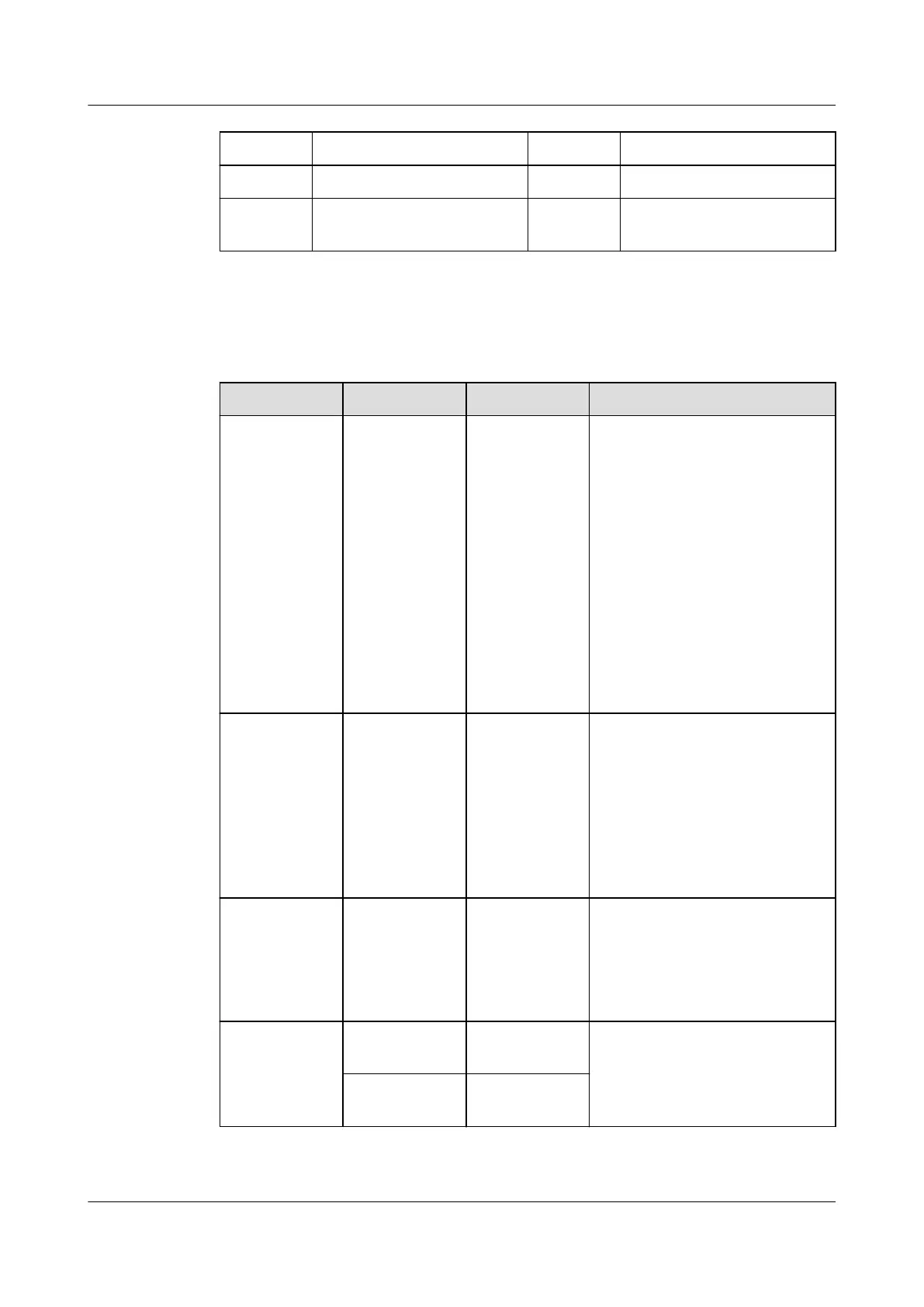
Port Description
Table 5-4 Ports on the rear panel
Port Type Quantity Description
PSU socket - 2 Used to connect to the power
distribution unit (PDU) in the
cabinet. You can select the
number of power supply units
(PSUs) as required.
NOTE
● When determining the
quantity of PSUs, ensure that
the rated power of the PSUs
is greater than that of the
server.
● If only one PSU is used,
Predicted PSU Status cannot
be set to Active/Standby on
the iBMC WebUI.
Serial port RJ45 1 Default operating system
serial port used for debugging.
You can also set it as the iBMC
serial port by using the iBMC
command.
NOTE
The port uses 3-wire serial
communication interface, and the
default baud rate is 115,200 bit/s.
Management
network port
1000BASE-T 1 Used for server management.
NOTE
The management network port is
a GE port that supports 100
Mbit/s and 1000 Mbit/s auto-
negotiation.
LOM port 10GE optical
port
2 For details, see 5.6.1 LOMs.
GE electrical
port
2
Huawei FusionServer Pro 2298 V5 Server
Technical White Paper 5 Hardware Description
Issue 05 (2020-09-03) Copyright © Huawei Technologies Co., Ltd. 16






 To Next Page