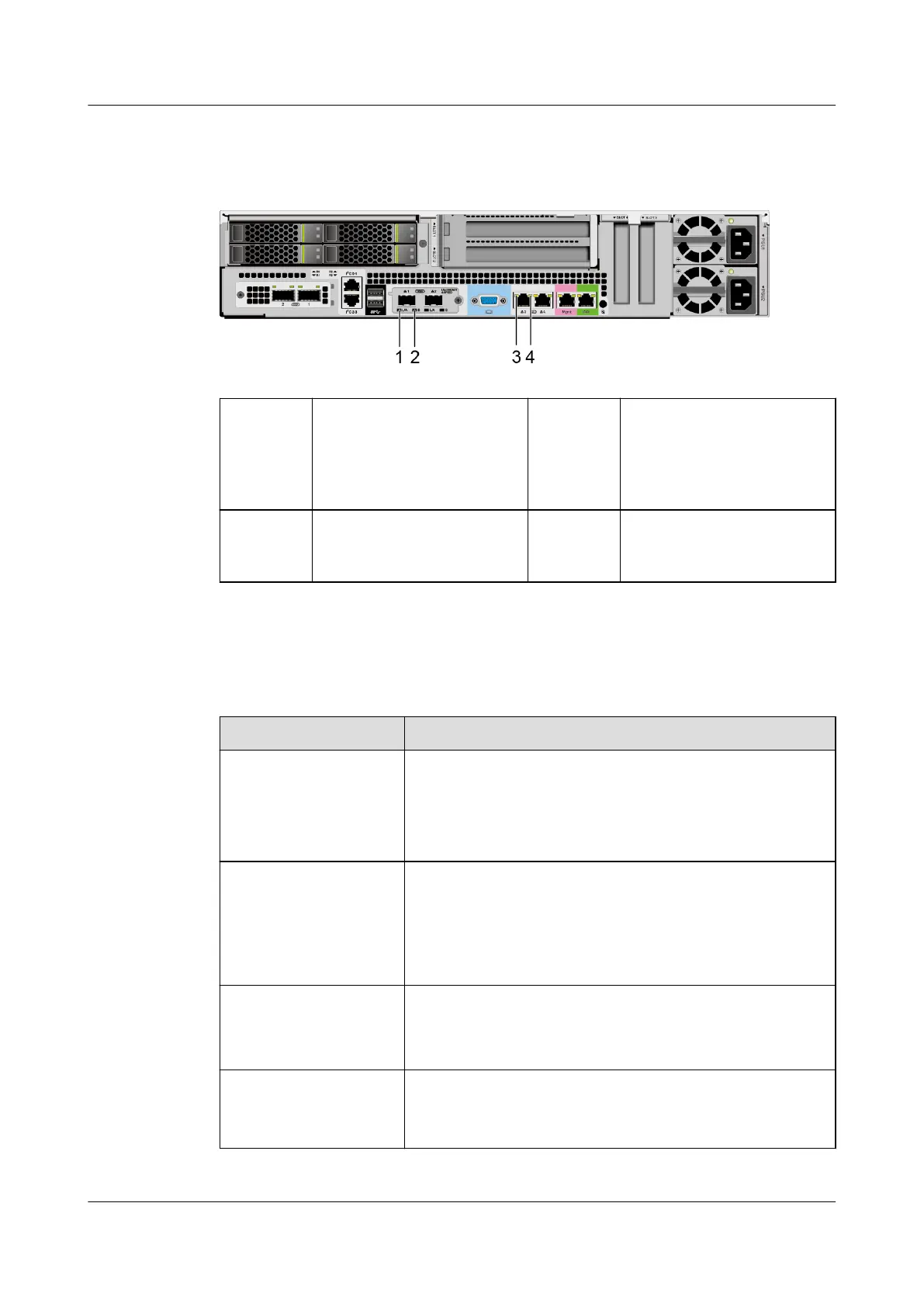
Indicator Positions
Figure 5-19 LOM indicators
1 Connection status
indicator/Data
transmission status
indicator for a 10GE
optical port
2 Data transmission rate
indicator for a 10GE
optical port
3 Data transmission status
indicator for a GE
electrical port
4 Connection status
indicator for a GE
electrical port
Indicator Description
Table 5-14 LOM indicators
Indicator
Description
Connection status
indicator/Data
transmission status
indicator for a 10GE
optical port
● O: The network port is not connected.
● Blinking green: Data is being transmitted.
● Steady green: The network port is properly
connected.
Data transmission rate
indicator for a 10GE
optical port
● O: The network port is not connected.
● Steady green: The data transmission rate is 10
Gbit/s.
● Steady yellow: The data transmission rate is lower
than 10 Gbit/s.
Data transmission
status indicator for a
GE electrical port
● O: The network port is not connected.
● Steady yellow: The network port is in active status.
● Blinking yellow: Data is being transmitted.
Connection status
indicator for a GE
electrical port
● O: The network port is not connected.
● Steady green: The network port is properly
connected.
Huawei FusionServer Pro 2298 V5 Server
Technical White Paper 5 Hardware Description
Issue 05 (2020-09-03) Copyright © Huawei Technologies Co., Ltd. 33







 To Next Page