9 FAQ
9.1 How Do I Replace a Fuse?
Step 1 Power o the system. For details, see 7.1 System Power-O.
After the system is powered o, the remaining electricity and heat still exist in the
chassis, which may cause electric shocks or burns. Therefore, you need to wear
protective gloves and perform operations 5 minutes after the system is powered
o.
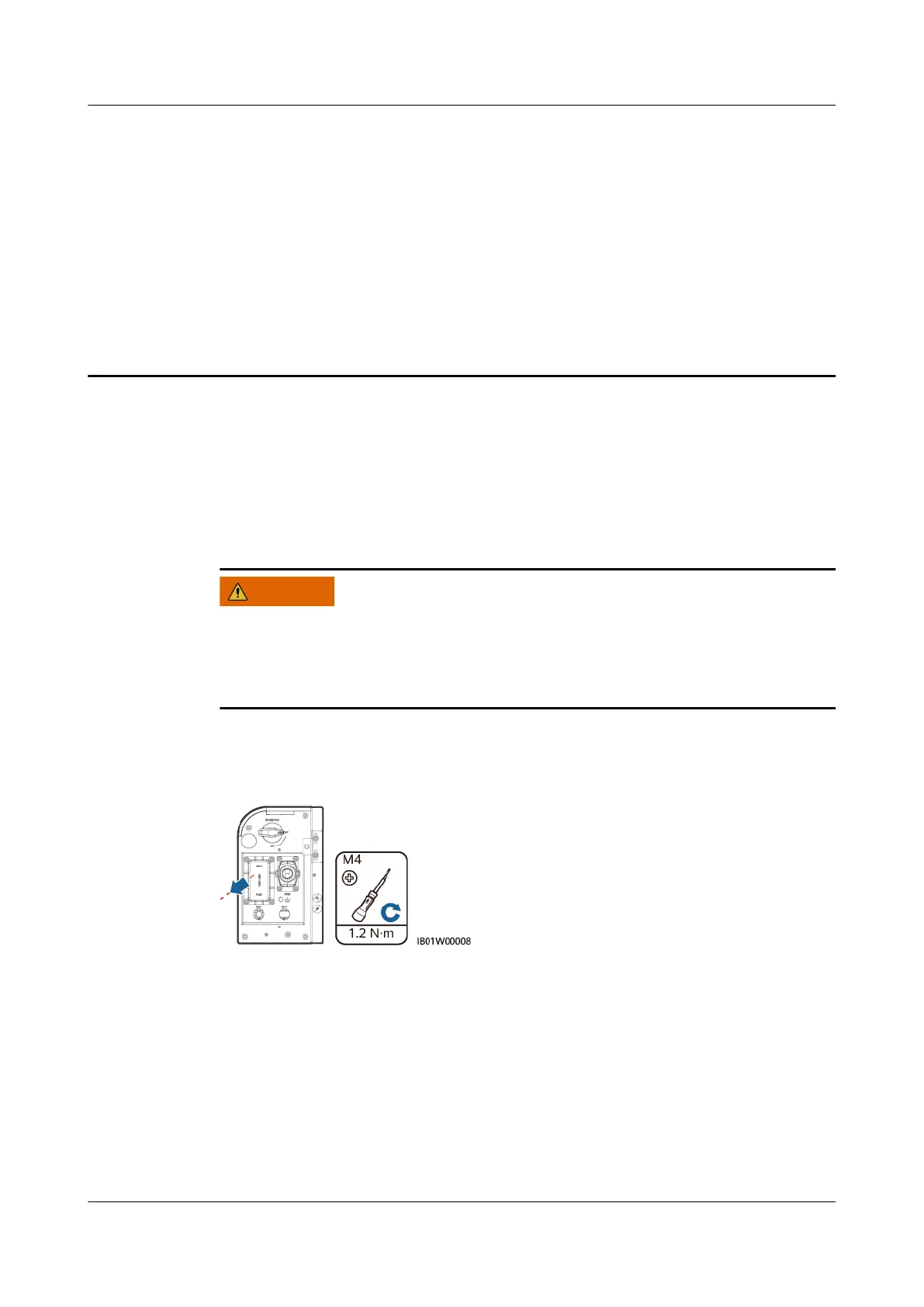
Step 2 Loosen the screws on the fuse shell.
Figure 9-1 Removing the screw shell
Step 3 Lift the fuse box opening, remove the fuse, insert a new fuse into the slot, and
close the fuse box. If you hear a click sound and the bulge on the side is inside the
box, the fuse box is properly installed.
LUNA2000-(5-30)-S0
User Manual 9 FAQ
Issue 01 (2020-10-20) Copyright © Huawei Technologies Co., Ltd. 88





 To Next Page