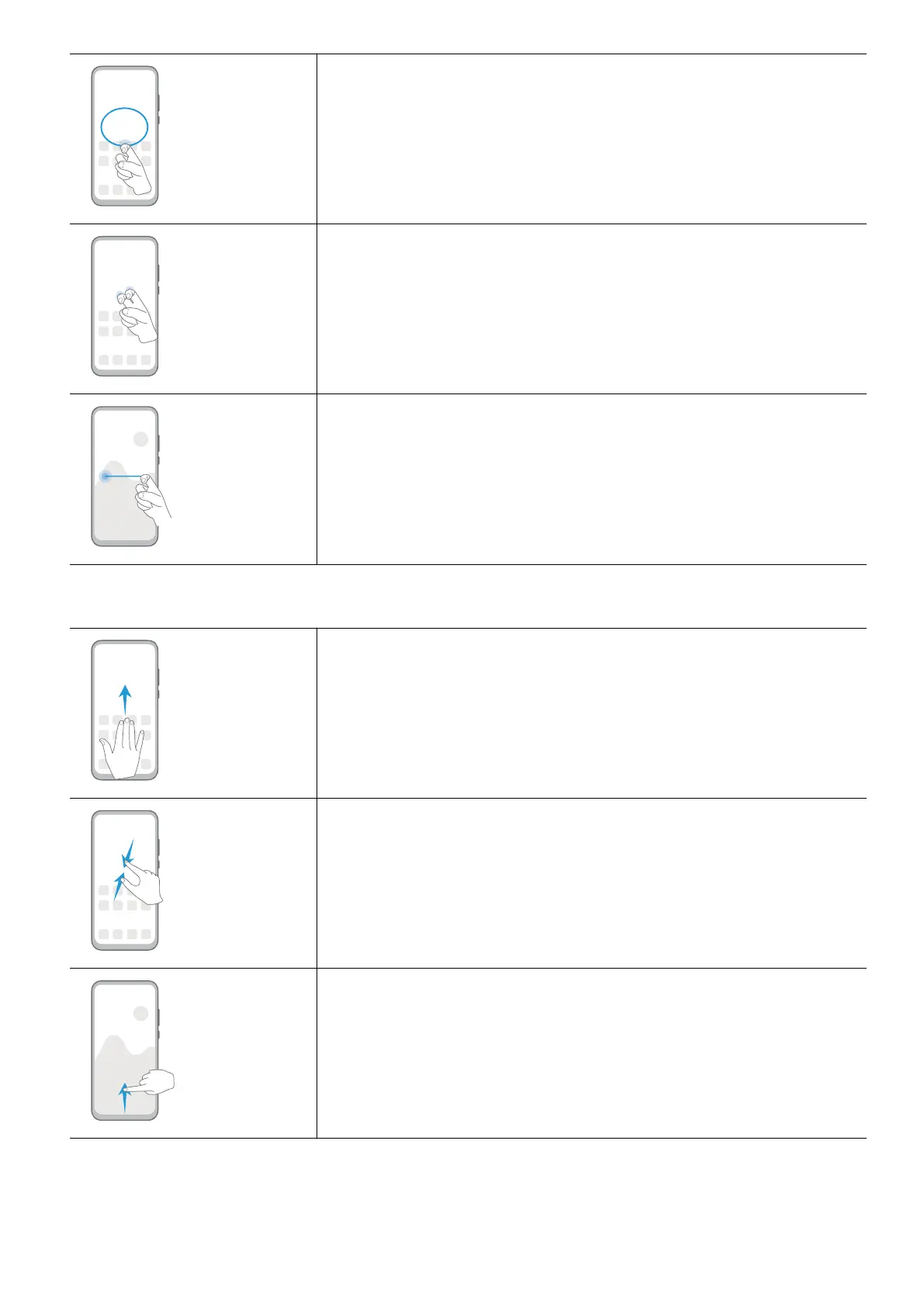
Capture part of the screen
Knock and draw an enclosed area with a knuckle to capture
part of the screen.
Record screen
Knock twice on the screen with two knuckles to start or end a
screen recording.
Split screen
Firmly draw a line across the screen with a knuckle to enter
split-screen mode.
More Gestures
Split the screen
Swipe up on the screen with three ngers.
Access Home screen editing mode
Pinch two ngers together on the home screen.
Display the shortcut panel on the lock screen
Swipe up from the bottom of the lock screen.
Essentials
3



 To Next Page