To ensure that the camera runs correctly, pre-installed camera modes cannot be deleted.
Adjust Camera Settings
Adjust Camera Settings
Adjust the Camera Resolution
1 Open
Camera and touch to access the Settings screen.
2 Touch Resolution and select a resolution.
This feature is not available in some modes.
Enable Location Tag
Enable Location tag to tag your location in photos and videos.
Swipe up on a photo or video in Gallery to view its shooting location.
Add Device Watermarks to Photos
Enable Add watermark. Photos and videos shot with the rear camera will have a device
watermark added.
Use the Assistive Grid to Compose Your Photos
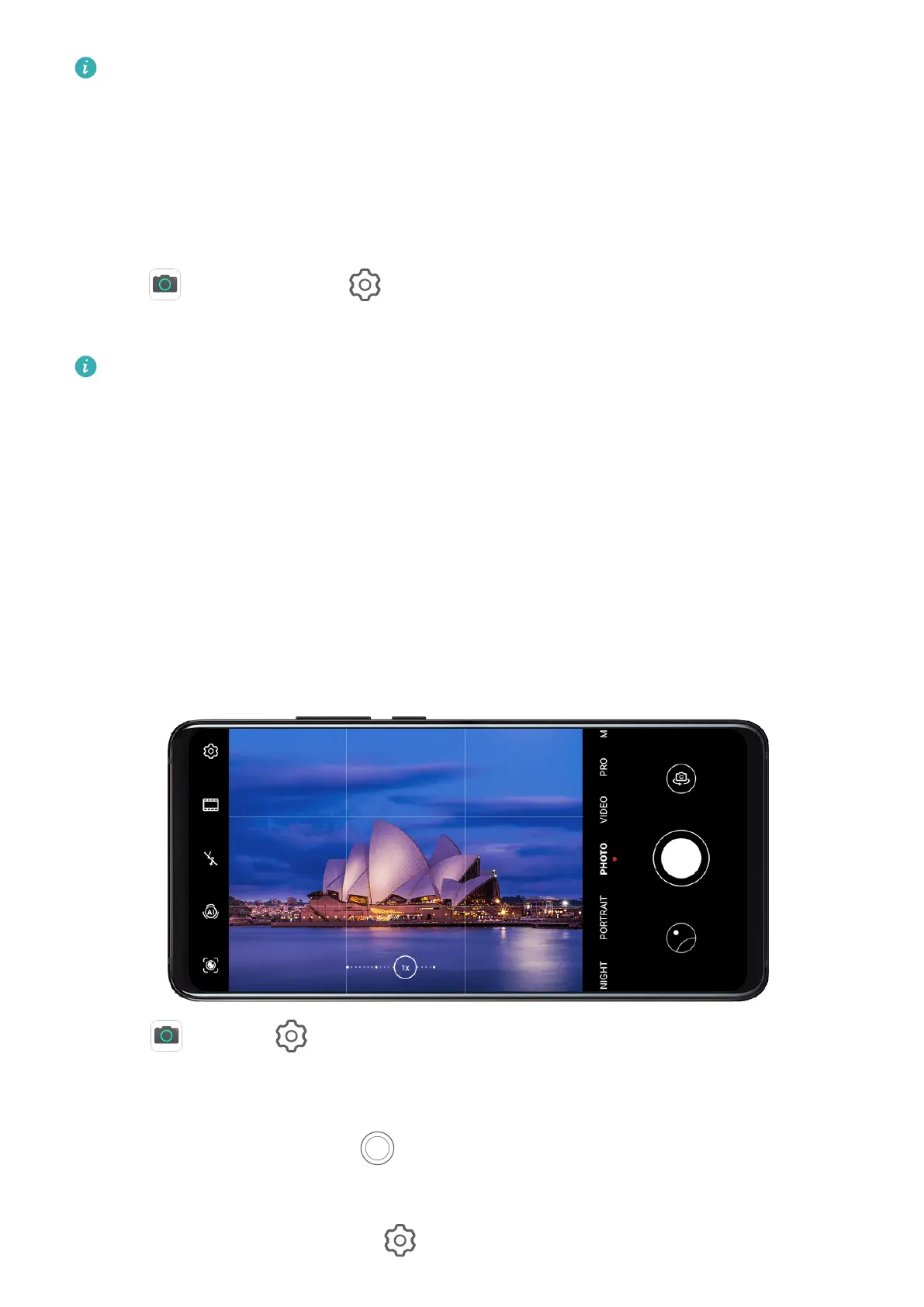
Use the assistive grid feature to help you line up the perfect shot.
1 Go to Camera > .
2 Enable Assistive grid.
3 Grid lines will appear in the viewnder. Place the subject of your photo on one of the
intersecting points, then touch
.
Enable Mirror Reection
When using the front camera, touch to enable or disable Mirror reection.
Camera and Gallery
75



 To Next Page