SUN2000 (8KTL-28KTL)
User Manual
Huawei Proprietary and Confidential
Copyright © Huawei Technologies Co., Ltd.
Contents
About This Document .................................................................................................................... ii
1 Safety Precautions ......................................................................................................................... 1
2 Overview ......................................................................................................................................... 3
2.1 Introduction .................................................................................................................................................................. 3
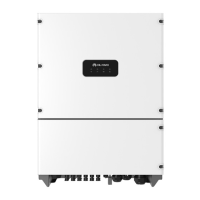
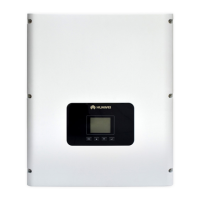
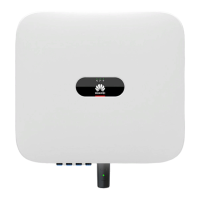
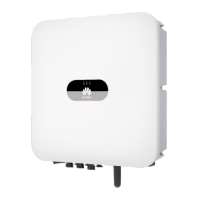
2.2 Appearance ................................................................................................................................................................... 5
2.3 Symbol Conventions ..................................................................................................................................................... 8
2.4 Monitoring Panel ........................................................................................................................................................ 11
2.5 Working Principles...................................................................................................................................................... 14
3 Inverter Storage ........................................................................................................................... 19
4 Installation.................................................................................................................................... 20
4.1 Checking Before Installation ...................................................................................................................................... 20
4.2 Tools ........................................................................................................................................................................... 22
4.3 Determining the Installation Position ......................................................................................................................... 24
4.4 Moving the SUN2000 ................................................................................................................................................. 27
4.5 Support-mounting the SUN2000 ................................................................................................................................ 28
4.6 Wall-mounting the SUN2000...................................................................................................................................... 33
5 Electrical Connections ................................................................................................................ 42
5.1 Installing PGND Cables.............................................................................................................................................. 42
5.2 Connecting AC Output Power Cables ......................................................................................................................... 45
5.3 Installing DC Input Power Cables .............................................................................................................................. 51
5.4 Connecting Communications Cables .......................................................................................................................... 57
5.4.1 Communications Port Description ........................................................................................................................... 57
5.4.2 Connecting RS485 Communications Cables ........................................................................................................... 59
6 System Operation ........................................................................................................................ 64
6.1 Checking Before Power-On ........................................................................................................................................ 64
6.2 Powering on the SUN2000 ......................................................................................................................................... 64
6.3 Setting Initialization Parameters ................................................................................................................................. 65
7 LCD ................................................................................................................................................ 68
7.1 Monitoring Menu Hierarchy ....................................................................................................................................... 68
7.2 Monitoring Operations ................................................................................................................................................ 71





 To Next Page