Huawei Proprietary and Confidential
Copyright © Huawei Technologies Co., Ltd.
Procedure
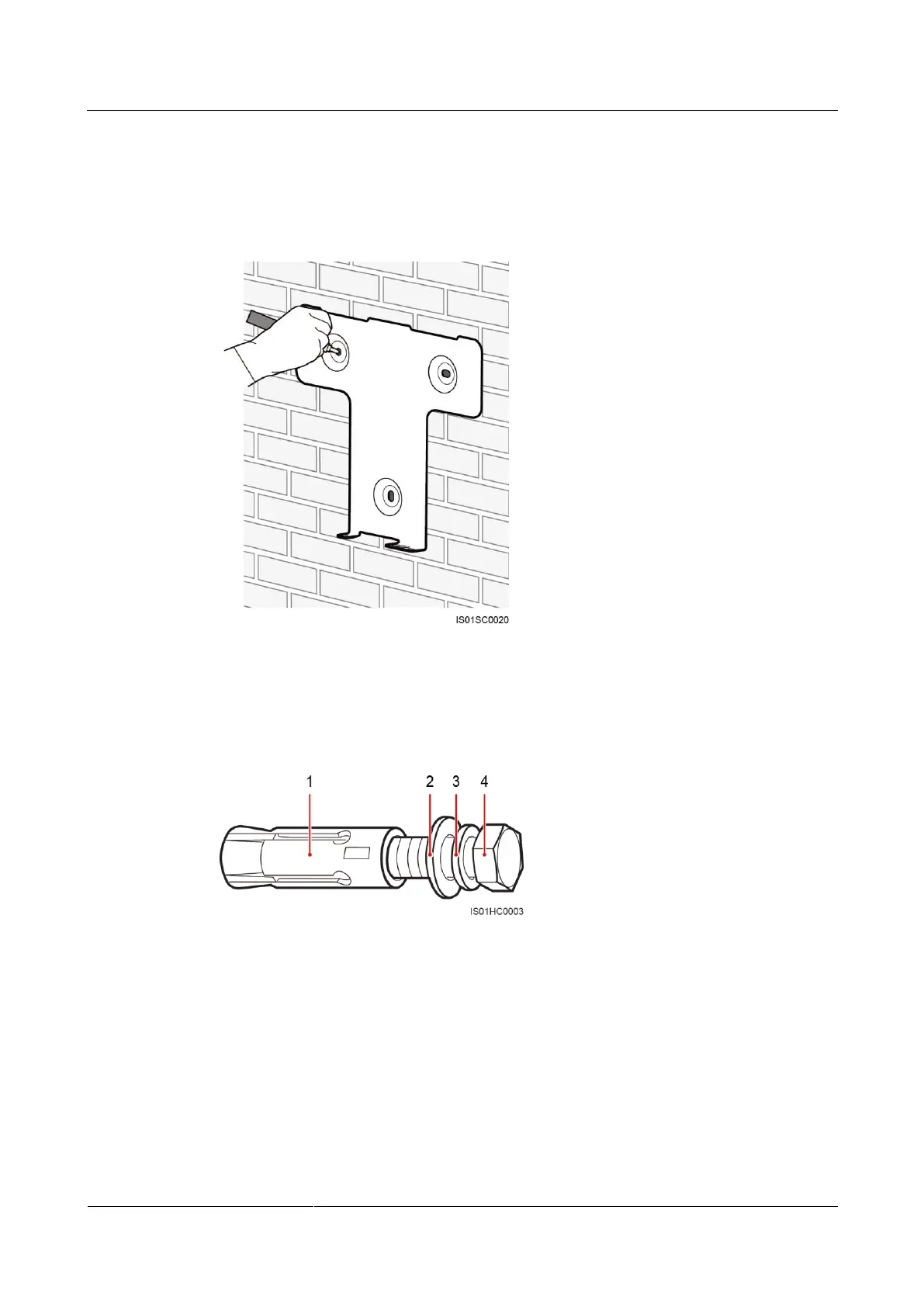
Step 1 Locate the positions for drilling holes using the rear panel provided with the SUN2000 in the
packing case, and mark the positions using a marker, as shown in Figure 4-16.
Figure 4-16 Locating and marking the hole positions
Step 2 Drill holes using a hammer drill and install expansion bolts, as shown in Figure 4-18.
An expansion bolt is composed of four parts, as shown in Figure 4-17.
Figure 4-17 Expansion bolt composition








 To Next Page