25
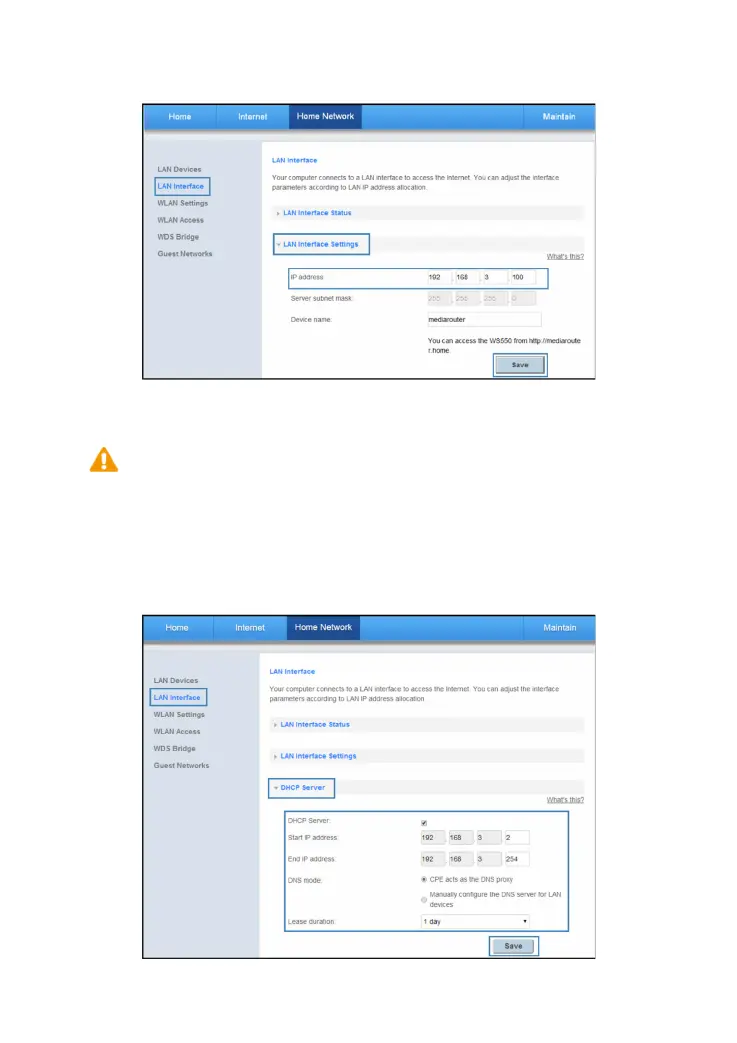
e. In IP address, enter the WS550's IP addresses. For example, set the WS550 (A)'s IP
address to 192.168.3.1 and the WS550 (B)'s to 192.168.3.100.
f. Click Save.
4. Configure the DHCP function of the WS550 (A).
a. Log in to the web management page.
b. Choose Home Network tab.
c. In the navigation tree, choose LAN Interface.
d. Select DHCP Server configuration page.
e. Set DHCP Server to Enable.
f. Click Save.
Please ensure that the WS550 (B) has its DHCP server disabled.


 To Next Page