Commissioning
OPERATION MANUAL Chapter 2
Unistat® V2.0.0en/09.06.16//15.09
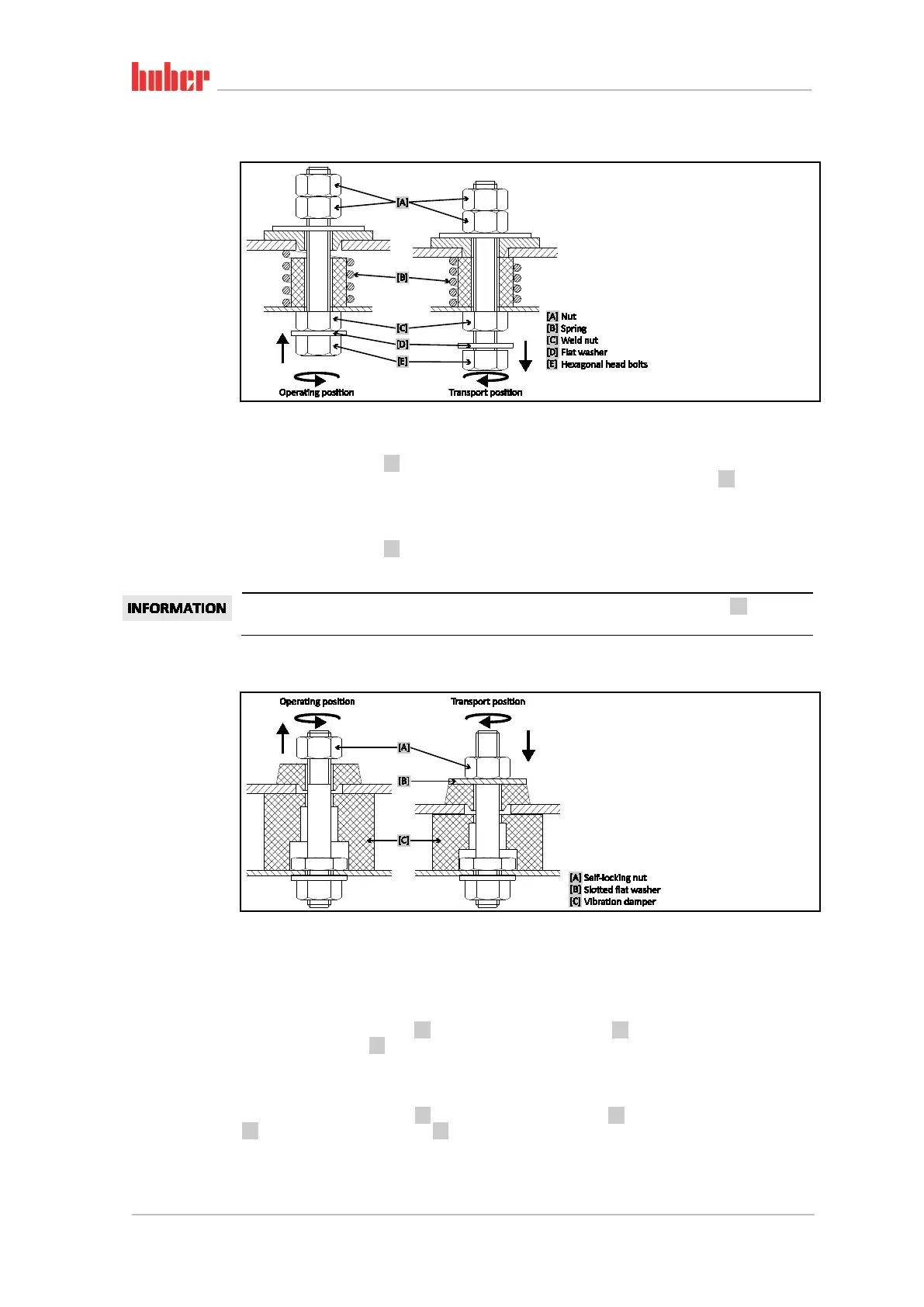
2.2.1 Transportation lock Type A
2.2.1.1 Releasing the transportation lock (operating position)
>Hexagonal head bolts< [E] at the bottom of the temperature control unit, use a socket wrench
SW17 and turn it upward (counter-clockwise) and tighten it against the >Weld nut< [C] (hand-tight).
2.2.1.2 Tightening the transportation lock (transport position)
>Hexagonal head bolts< [E] at the bottom of the temperature control unit, use a socket wrench
SW17 and turn it downwards (clockwise) and tighten it against both check nuts (hand-tight).
You can distinguish between the two positions by feeling whether the >Flat washer< [D] is re-
leased (transport position) or tight (operating position).
2.2.2 Transportation lock Type B
Remove the side panel on the temperature control unit to loosen and tighten the transportation
locks.
2.2.2.1 Releasing the transportation lock (operating position)
Loosen the >Self-locking nut< [A] until the >Slotted flat washer< [B] can be removed. Remove the
>Slotted flat washer< [B].
2.2.2.2 Tightening the transportation lock (transport position)
Insert a >Slotted flat washer< [B] under each >Self-locking nut< [A]. Tighten the >Self-locking nut<
[A] until the >Vibration damper< [C] is compressed by about 1 to 2 mm.
Picture of
transportation lock
Type A
Picture of
transportation lock
Type B



 To Next Page