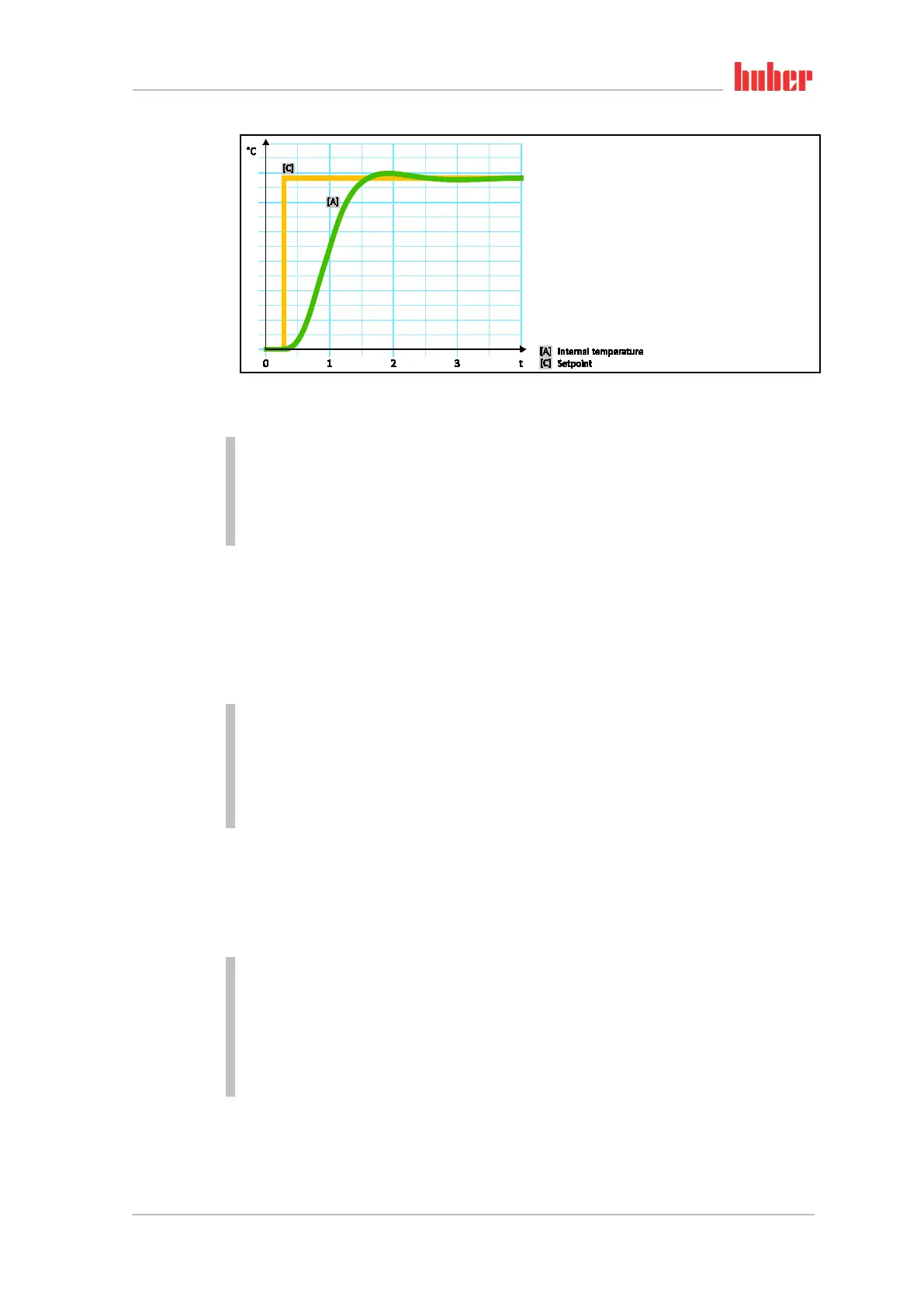
Setup mode
Chapter 4 OPERATION MANUAL
V2.0.0en/09.06.16//15.09 Unistat®
PROCEDURE
Go to the “Categories Menu”.
Tap on the category “Temperature Control”.
Tap on the category “TAC/Manual”.
Tap on the sub-category “Configuration auto”.
Tap on the sub-category “Control Dynamics”.
Choose between the dialog entries “Fast, small overshoot” and “Without overshoot”.
Confirm your choice by tapping on “OK”.
4.2.8.3 Sub-category: “Fluid Properties”
4.2.8.3.1 Sub-category “Select Fluid”
Under this entry, you can select the thermal fluid used from a list.
PROCEDURE
Go to the “Categories Menu”.
Tap on the category “Temperature Control”.
Tap on the category “TAC/Manual”.
Tap on the sub-category “Configuration auto”.
Tap on the sub-category “Fluid Properties”.
Tap on the sub-category “Select Fluid”.
Select the thermal fluid used from the list.
Confirm your choice by tapping on “OK”.
4.2.8.3.2 Sub-category: “Bath/Circulation Volume”
Under this entry, you can enter the filling volume of the thermal fluid in your bath/circuit.
PROCEDURE
Go to the “Categories Menu”.
Tap on the category “Temperature Control”.
Tap on the category “TAC/Manual”.
Tap on the sub-category “Configuration auto”.
Tap on the sub-category “Fluid Properties”.
Tap on the sub-category “Bath/Circulation Volume”.
Read the message and confirm it by tapping on “OK”.
Enter the filling volume using the number keypad that appears.
Confirm your entry by tapping on “OK”.
Internal, dynamic
temperature control
with possible over-
shooting of the tem-
perature



 To Next Page