Service/maintenance
Chapter 7 OPERATION MANUAL
V2.0.0en/09.06.16//15.09 Unistat®
Mixing different thermofluids in a thermal fluid circuit
PROPERTY DAMAGE
Do not mix different types of thermofluid (such as mineral oil, silicone oil, synthetic oil, water,
etc.) in a thermofluid circuit.
The thermal fluid circuit must be rinsed when changing from one type of thermal fluid to an-
other. No residues of the previous type of thermal fluid may remain in the thermal fluid circuit.
The inner components of the temperature control unit must be dried out Need to avoid boiling
retardation during future uses (e.g. use of a silicone oil at temperatures above about 100 °C).
PROCEDURE
Drain the temperature control unit as described on page 68 in section »Draining externally
closed applications« or on page 71 in section »Draining externally open applications«.
Residual thermal fluid can remain in the pump chamber and the internal lines after draining. Leave
the temperature control unit with open valves for a while.
Leave the drain hose mounted to the >Drain< [8].
Check the fill level in the collecting container at the end of the drain hose. Follow the instructions
on page 16, section »Proper disposal of resources and consumables« for the disposal of ther-
mofluid.
Close the drain valves on the temperature control unit by turning them clockwise (turn 90° right
as far as it will go).
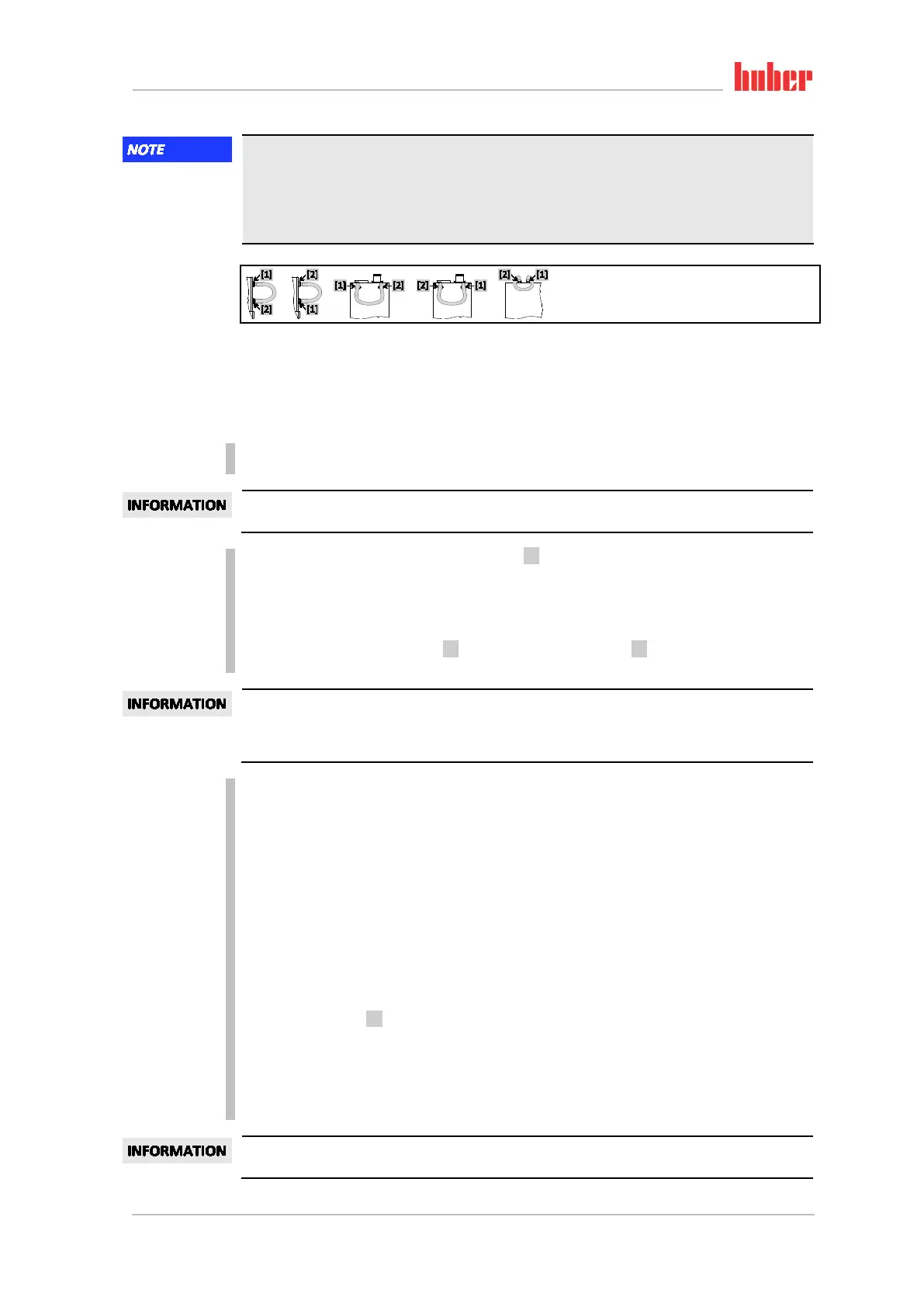
Connect the >Circulation flow< [1] with the >Circulation return< [2] to the temperature control
using a bypass hose.
Perform the following steps without attaching a short circuit hose, if the application used by you
(externally closed) is also dirty. In this case, leave your externally closed application connected to
the temperature control unit. This rinses the temperature control unit and your application at the
same time.
Fill the system (minimum fill level) with the thermofluid you wish to use. The description can be
found on page 64 in section »Filling and venting externally closed application«.
Vent the system as described on page 64 in section »Filling and venting externally closed appli-
cation«.
Adjust the setpoint and the cut-out value of the overtemperature protection to the thermofluid
used. The procedure is described on page 63 in Section »Setting the setpoint« and on page 50 in
Section »Setting the overtemperature protection«.
Go to the “Categories Menu”.
Tap on the category “Temperature Control”.
Tap on the category “Start/Stop”.
Tap on the dialog entry “Start temperature control process”.
Confirm your choice by tapping on “OK”. The length of rinsing depends on the level of soiling.
Tap on the category “Start/Stop”.
Tap on the dialog entry “Stop temperature control process”.
Confirm your choice by tapping on “OK”. The temperature control process is stopped.
Open the >Drain< [8] and drain the thermofluid through the draining hose into a suitable con-
tainer (such as the original canister, which is compatible with the thermofluid). Follow the in-
structions on page 16, section »Proper disposal of resources and consumables« for the disposal
of thermofluid.
Repeat the steps “Filling”, “Venting”, “Start/Stop temperature control process” and “Draining”
until the drained thermofluid remains clear.
Remove the bypass hose.
Leave an application connected, if you have simultaneously rinsed a used application (externally
closed).
Example: Connecting a
short circuit hose



 To Next Page