Setup mode
OPERATION MANUAL Chapter 4
Unistat® V2.0.0en/09.06.16//15.09
PROCEDURE
Before setting the control parameters, make sure that the temperature control unit has reached
the set setpoint and has been controlling the temperature at this setpoint for a few minutes. Do
not stop the temperature control.
Do not make any changes to the temperature control unit and the application during parameter
determination.
Go to the “Categories Menu”.
Tap on the category “Temperature Control”.
Tap on the category “TAC/Manual”.
Tap on the sub-category “Configuration auto”.
Tap on the sub-category “Find parameters”.
Tap on the dialog entry “Estimate Control Parameters”.
Confirm your choice by tapping on “OK”.
Read the message and confirm it by tapping on “Yes”. The current control parameters will be
overwritten.
Select the thermal fluid used from the list.
Confirm your choice by tapping on “OK”.
Read the message displayed and confirm it by tapping on “OK”.
Enter the filling volume using the number keypad that appears.
Confirm your entry by tapping on “OK”.
Tap twice on the “Arrow” touchbutton to return to the category “Temperature Control”.
Tap on the category “Process/Internal”.
Choose between the dialog entries “Internal” and “Process (Cascade)”.
Tap on “OK” to confirm your choice.
4.2.8.2 Sub-category: “Control Dynamics”
You can choose between a faster tuning performance with a possible and accepted small tempera-
ture overshoot and a tuning performance without temperature overshoot. The default setting is
“Fast, small overshoot”.
The overshoot always refers to the leading temperature. Example: The process temperature, if
activated, is the leading temperature. In contrast, the bath or flow temperature must always be
leading the process temperature. In order to achieve the best possible energy transfer, the greatest
possible temperature difference between the bath or flow temperature and the process tempera-
ture is necessary (see figure "»Representation of an optimum process temperature control« from
page 54 in section »Temperature control to process temperature«). This always requires the maxi-
mum possible thermal fluid flow rate. In the setting “Faster, small overshoot”, the combination of
high thermal fluid flow rate and the superbly designed control electronics hardly ever results in an
overshoot of the process temperature, while reaching the setpoint as quickly as possible. The oppo-
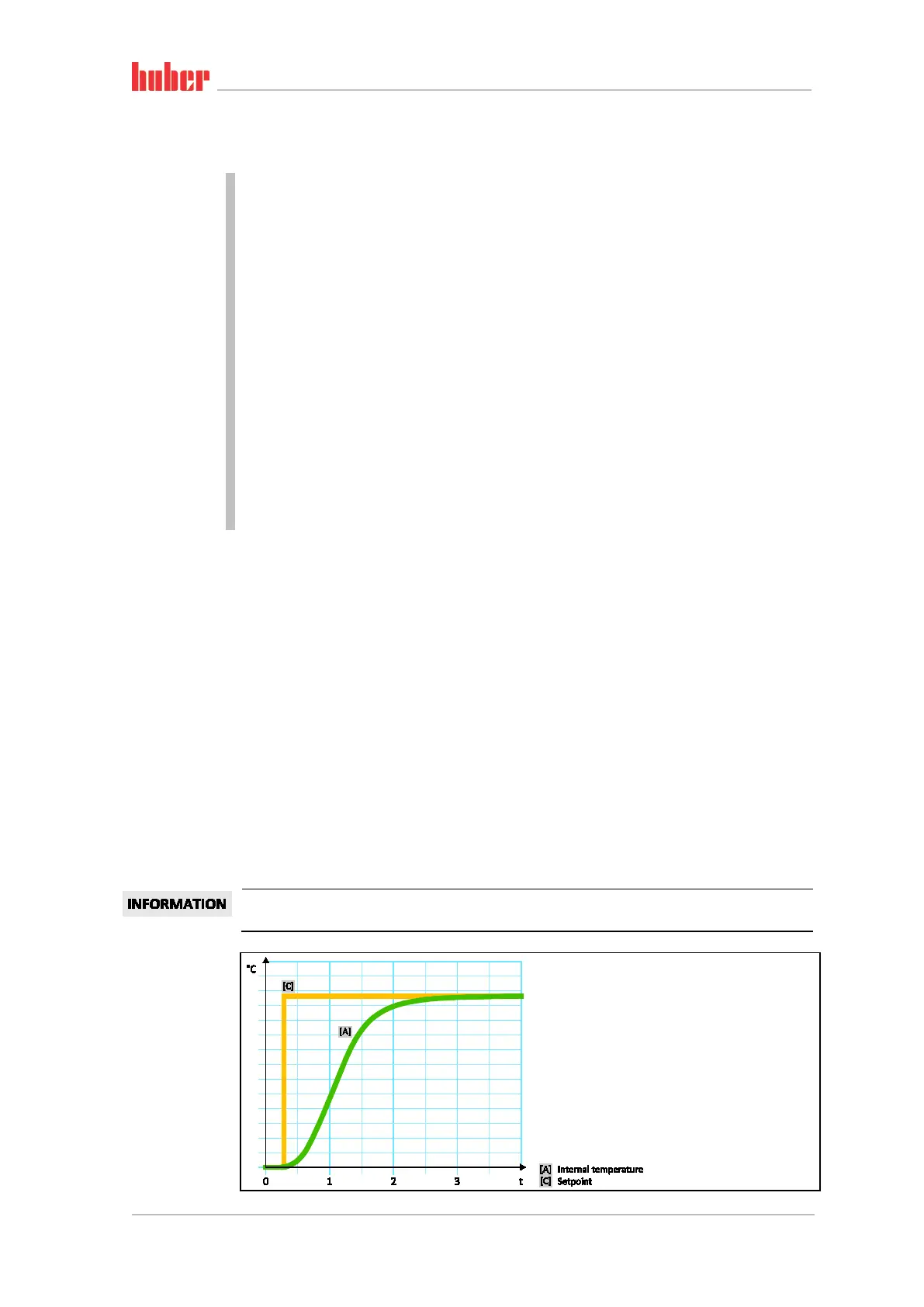
site to the mode “Faster, small overshoot” is available in the setting “Without overshoot”. The
target temperature is approached more cautiously and thus aperiodic. It takes longer to adjust to
the selected setpoint. The statement “without overshooting” is only valid with little external dis-
turbance influence. Please note the specifications on page 39 in section »To be noted when plan-
ning the test«.
The adjustment behavior can be selected at any time without reactivating the “Find control pa-
rameters”.
Internal, aperiodic
temperature control



 To Next Page