Interfaces and software update
Chapter 6 OPERATION MANUAL
V2.0.0en/09.06.16//15.09 Unistat®
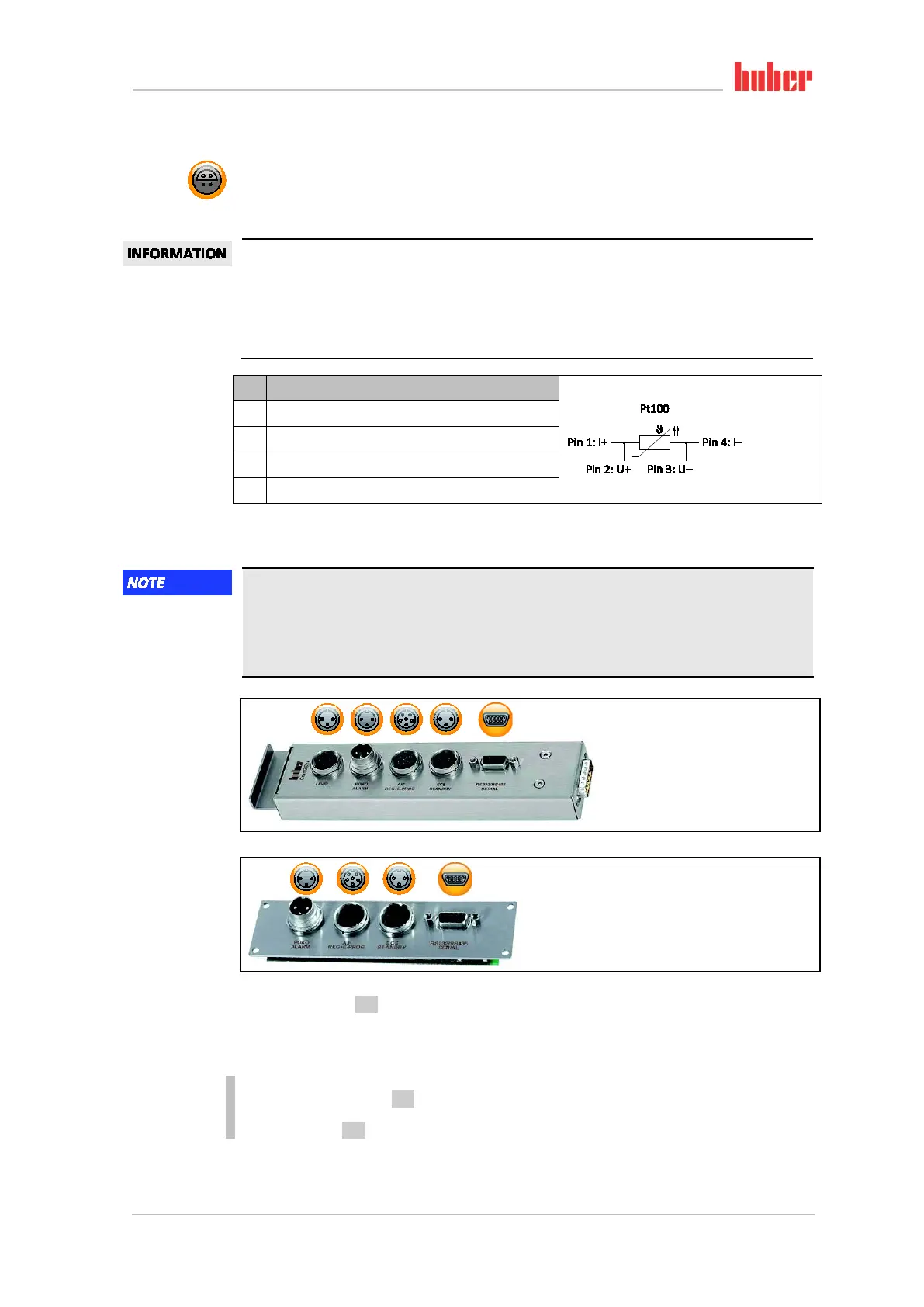
6.2.2.3 Connection jack for Pt100 process controller sensor
A temperature sensor located in the connected application (Pt100, 4-wire technology, Lemosa con-
nector) is connected to the Pt100 connection jack. The external actual temperature is then recorded
and the operating temperature of the temperature control unit is permanently calculated and ad-
justed.
Depending on the operating temperature, isolation losses and exothermic heat, the operating
temperature (flow temperature) of the application can be significantly less than the setpoint of the
application. In this context, safety-critical thresholds for the temperature control fluid must be
strictly observed.
The control results contained in the data sheet can only be achieved with shielded sensor leads.
We recommend the external Pt100 process control sensor from the Huber accessories program.
Pin Signal
1 I+
2 U+
3 U−
4 I−
6.3 Interfaces at the Com.G@te® (optional)
Connecting to the interfaces at the temperature control unit during operation
DAMAGE TO THE INTERFACES
When devices in operation are connected with interfaces of the temperature control unit,
interfaces may get damaged.
Before connecting, ensure the temperature control unit and the device to be connected are
If the >Com.G@te< [46] is not connected, proceed as follows.
PROCEDURE
Switch off the temperature control unit.
Plug the >Com.G@te< [46] into the slot provided.
Switch on the temperature control unit. “Unistat Control ONE” detects the new component. The
>Com.G@te< [46] is operable.
Pin assignment
Com.G@te external
interfaces:
LEVEL, POKO, AIF,
ECS,RS232/RS485
(left to right).
Com.G@te internal
interfaces:
POKO, AIF, ECS,
RS232/RS485
(left to right).



 To Next Page