39 Cable Installation
2. Ethernet: Insert the Ethernet Cable into the Ethernet port on the control head.
Hand-tighten the screw nut.
NOTE: If you have a HELIX Series unit with Ethernet, connect the Ethernet
Cable to an Ethernet Adapter Cable (AS EC QDE, separate purchase required).
Insert the connector into the Ethernet port on the control head or cable tray. See
your control head installation guide for details.
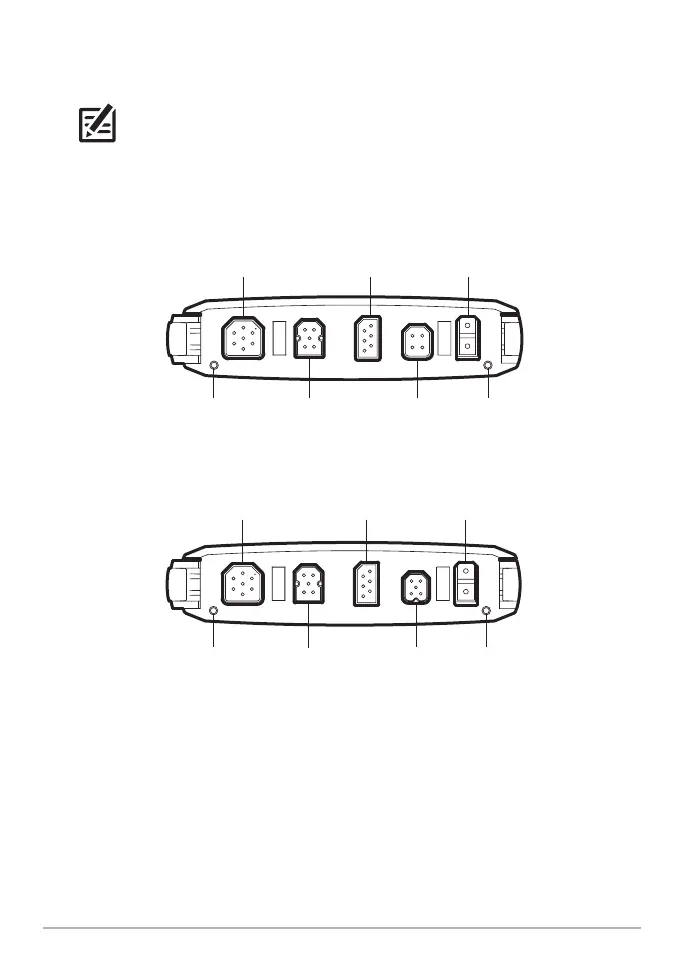
HELIX G3N 8, 9, 10, 12 Cable Tray
Ethernet temp/speed pinpin
power
COM
(communications)
transducer
COM
(communications)
transducer power
Ethernet pinpin NMEA 2000
HELIX G4N 8, 9, 10, 12, 15 Cable Tray













 To Next Page