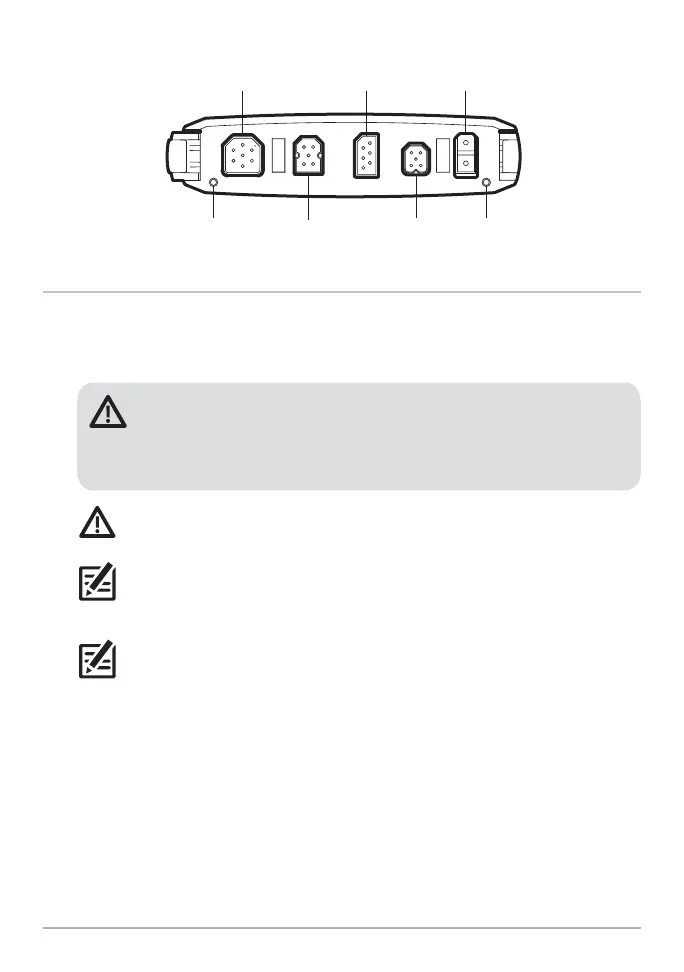
41 Cable Installation
COM (communications)
transducer power
Ethernet pinpin NMEA 2000
HELIX G4N 8, 9, 10, 12, 15 Cable Tray
4. Connect Power
1. Power: Route the power cable(s) to the main switch or fuse panel (usually
located near the console). If you must connect to a battery, connect to a battery
switch (not included).
WARNING! The MEGA Live Imaging TargetLock and MEGA 360 Imaging
transducers should be connected to a main switch, fuse panel, or battery
switch. Humminbird does not recommend connecting to a battery without a
fuse and a switch.
CAUTION: Some boats have 24 or 36 Volt electric systems, but the MEGA
Live Imaging transducer MUST be connected to a 12 VDC power supply.
NOTE: Humminbird is not responsible for over-voltage or over-current failures.
The MEGA Live Imaging TargetLock must have adequate protection through the
proper selection and installation of a 5A slow-blow fuse.
NOTE: A 10' (3 m) power cable is included to supply power to the MEGA LIVE
Imaging transducer. You may shorten or lengthen the cable using 12 gauge
multi-stranded copper wire.













 To Next Page