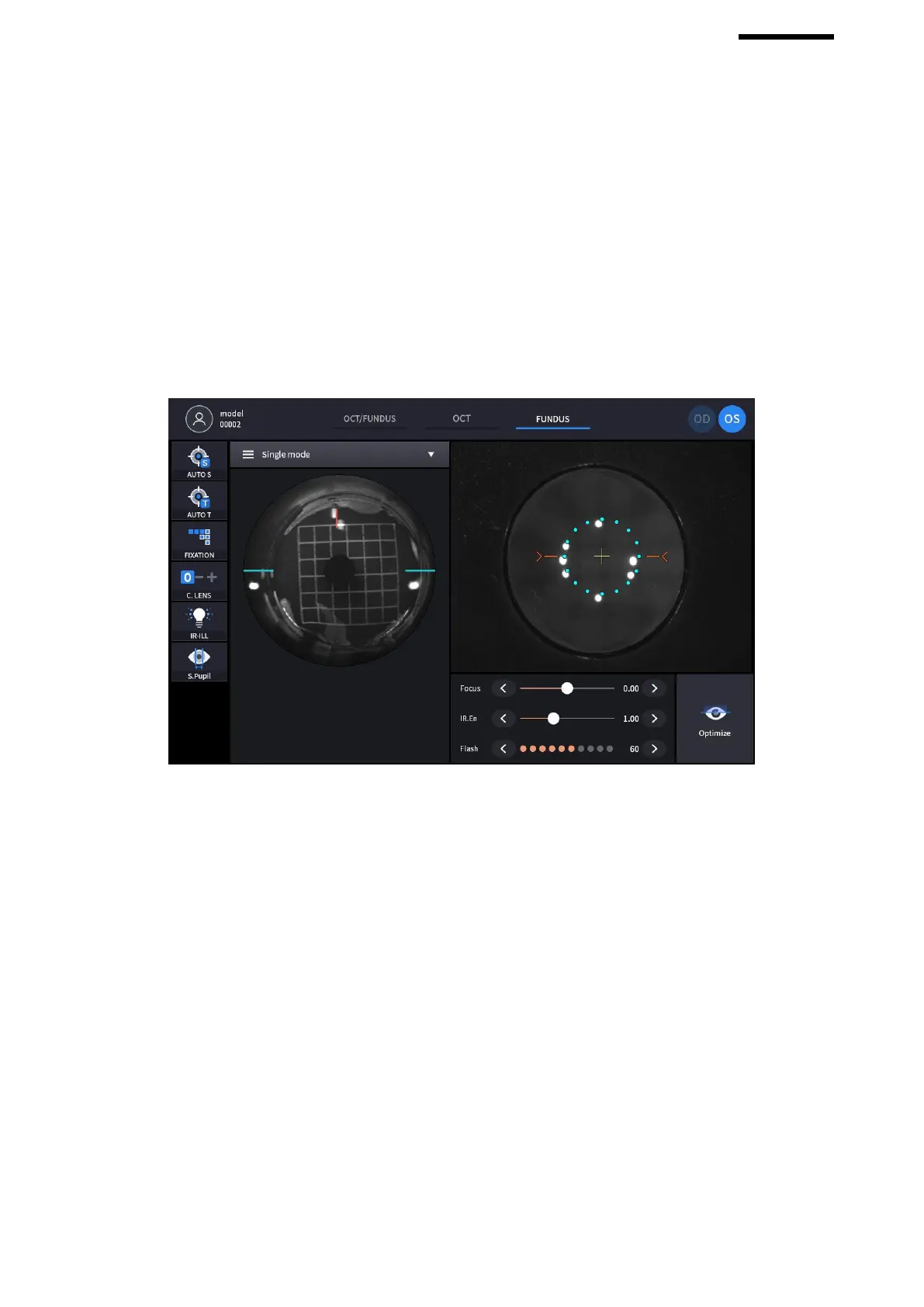
- At anterior screen, align the device till the target mark (circular orange) appears which indicated the Model
eye and the device’s alignment and focusing is correct.
- Align the device till the working dot marked red on the left IR screen to be positioned on the blue guide line
and also the size to be smallest while maintaining the target mark (circular orange) to be displayed.
- KERATO SETUP shall be performed when the Working dot is extremely distorted while the target mark
(circular orange) displayed.
3. Checking anterior lightning LED
(1) Select FUNDUS measurement in MEASURE MODE.
- Check anterior lighting LED. They consist of six dots except two center dots out of eight dots at anterior screen.
- KERATO SETUP shall be performed after changing LED when there is a problem with the LED and the LED
shows OFF as number six shown in the picture.
4. Check Fundus Camera
(1) Select FUNDUS Mode and measure Fundus.



 To Next Page