6.2. SETUP Mode
6.2.1. General Setting
1. System Settings
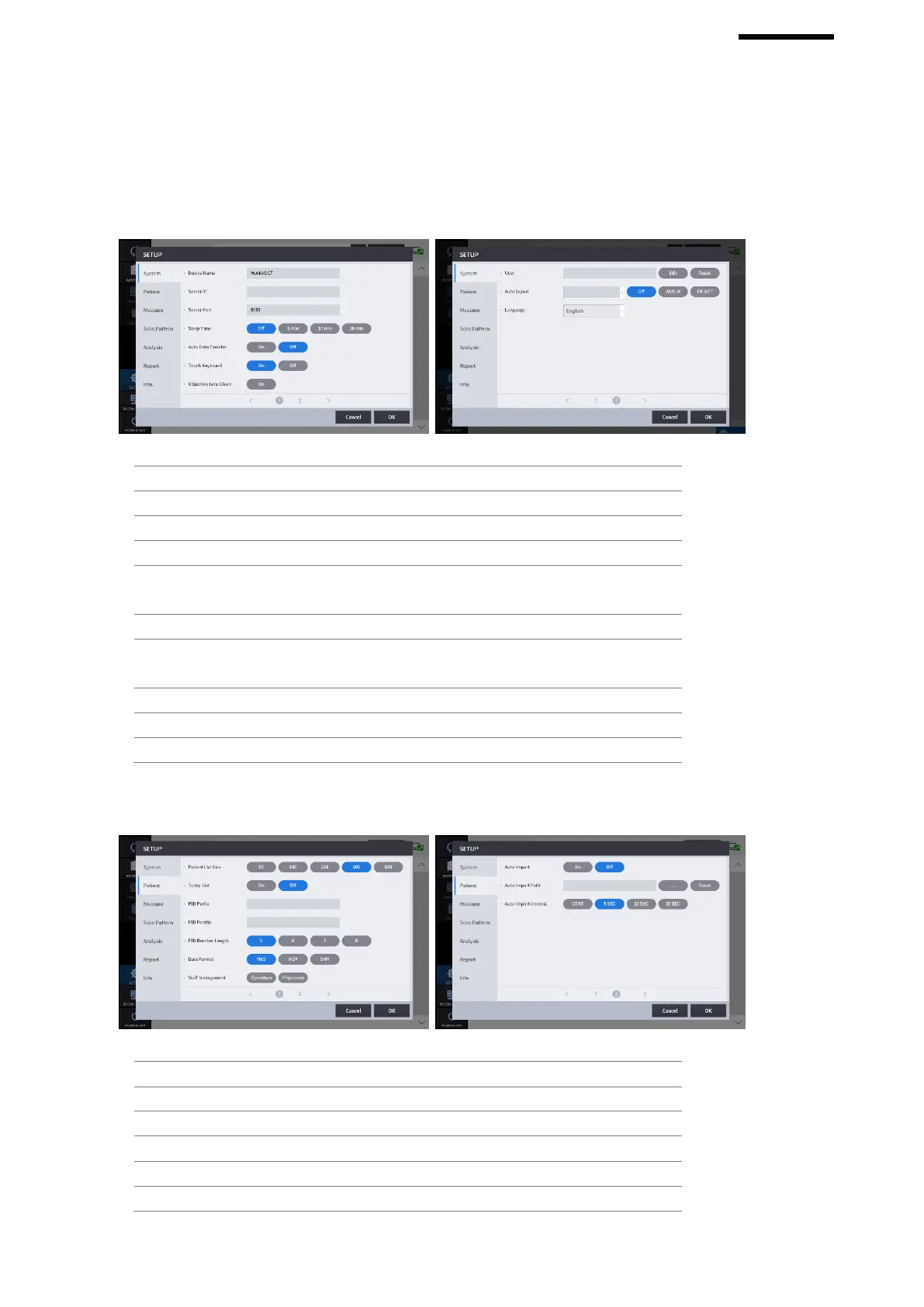
Web Viewer Server IP address setting.
Web Viewer Server port setting.
Set the function to transfer the measured data to Web
Viewer automatically.
Touch Keyboard ON/OFF setting.
When this option is turned on, the Light is turned on
for convenient cleaning of the Objective Lens.
Set User ID and Password for Login.
Number of patients to be displayed per pages.
Today List (List of patients visited today) settings.
The function to set the prefix of the patient ID.
The function to set the postfix of the patient ID.
The function to set the length of patient ID.
Format of the date (Year, Month, Day).


 To Next Page