Set the tracking range in the Angio tracking mode.
Set the noise reduction rate.
Set the voice guide and voice guide language.
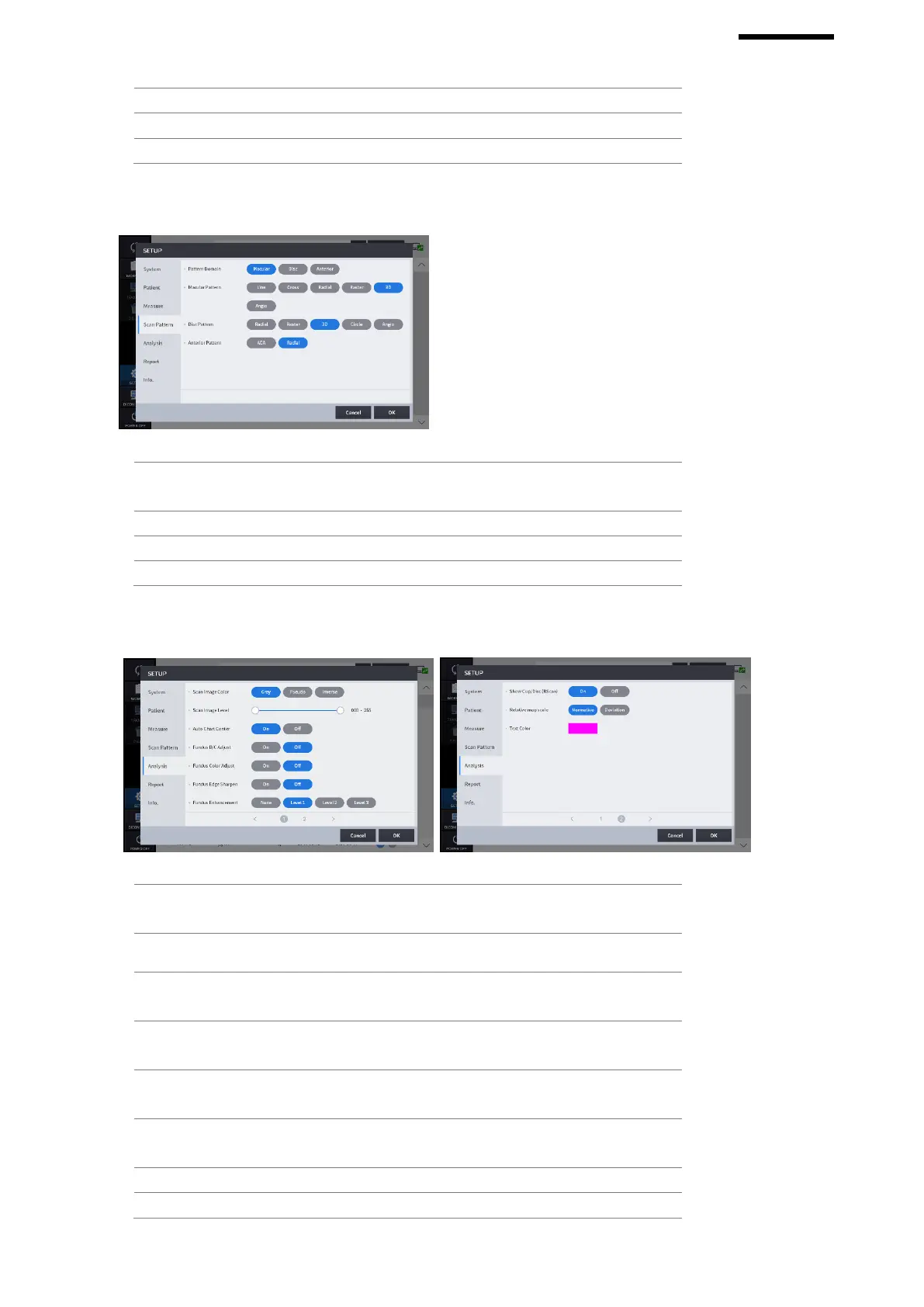
Set the default pattern domain of OCT scan
measurement to be either macular, disc, or anterior.
Set the default scan pattern of the macular domain.
Set the default scan pattern of the disc domain.
Set the default scan pattern of the anterior.
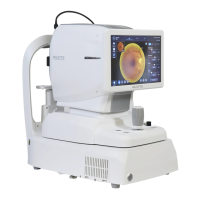
Set the default representation mode of Bscan image to
be either gray, pseudo color, or inversed gray.
Adjust the gray level values of Bscan image.
To move the center of the ETDRS or RNFL chart to the
detected center of the macular or the disc.
Apply the standard values of brightness and contrast to
the measured fundus image automatically.
Apply the standard values of UB and VR to the
measured fundus image automatically.
Apply edge sharpening function to the measured
fundus image automatically.
Enhance the fundus image.
If you click the Segmentation icon in Disk Analysis


 To Next Page